
When I first started soldering professionally, I learned the hard way that using the wrong temperature settings can turn a simple PCB repair into an expensive disaster. One wrong move with overheated lead-free solder, and I watched a $200 microcontroller lift its pads faster than I could say “oops.” That’s when I realized that understanding the best temperature presets on this station isn’t just about convenience—it’s about protecting your components, your projects, and your sanity.
The XYTRONIC station has revolutionized how we approach temperature control in modern soldering applications. Whether you’re working with traditional leaded solder or navigating the complexities of RoHS-compliant lead-free alternatives, having the right temperature presets can make the difference between professional results and costly mistakes.
Key Takeaways
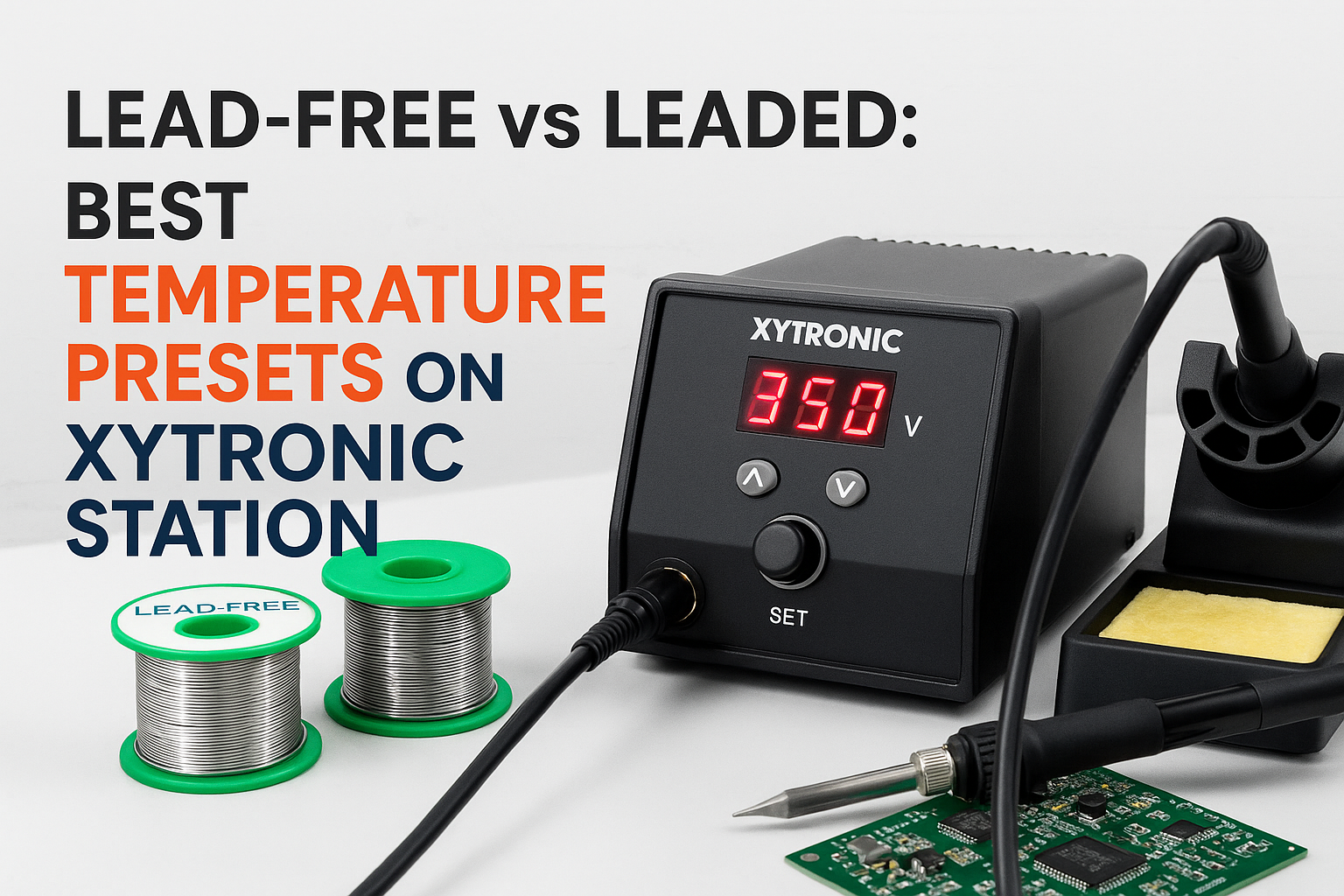
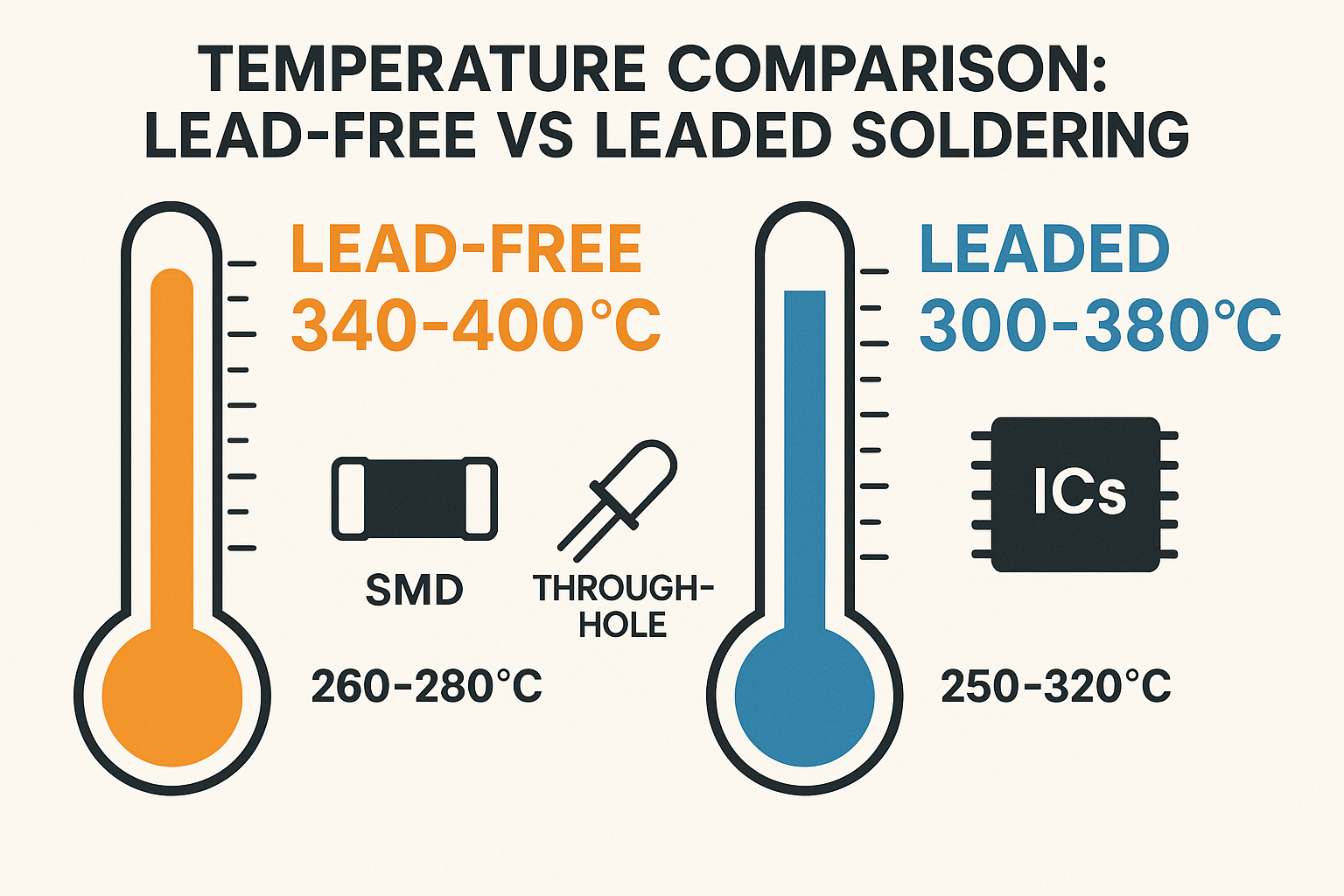
• Lead-free solder requires 30-40°C higher temperatures than leaded solder, typically ranging from 350-380°C
• Preset temperature profiles save time and reduce errors by eliminating guesswork for common soldering tasks
• Component sensitivity dictates temperature selection—delicate ICs need lower temps while ground planes require higher heat
• Proper temperature control prevents cold joints, lifted pads, and thermal damage to sensitive electronics
• XYTRONIC’s advanced thermal management allows for precise temperature maintenance across different solder types
Understanding Solder Types and Their Temperature Requirements
The Chemistry Behind Lead-Free vs Leaded Solder
The fundamental difference between lead-free and leaded solder lies in their melting points and thermal characteristics. Traditional 63/37 tin-lead solder melts at approximately 183°C (361°F), while most lead-free alternatives like SAC305 (tin-silver-copper) have melting points around 217°C (423°F).
This 34°C difference might seem small, but it has significant implications for your soldering process. Lead-free solder requires not only higher temperatures but also longer dwell times to achieve proper wetting and intermetallic formation.
Why Temperature Precision Matters More Than Ever
Modern electronics have become increasingly sensitive to thermal stress. Components like BGAs, fine-pitch ICs, and polymer capacitors can suffer permanent damage from excessive heat exposure. This is where understanding temperature control becomes crucial for maintaining component integrity.
The XYTRONIC station’s precision temperature control allows you to work within the narrow thermal windows that modern components demand, whether you’re using lead-free or leaded solder.
Optimal Temperature Presets for Lead-Free Soldering 🌡️
Standard Lead-Free Temperature Ranges
For most lead-free soldering applications, I recommend these best temperature presets on this station:
| Application Type | Temperature Range | Recommended Preset |
|—————–|——————-|——————-|
| Fine-pitch SMD | 340-360°C | 350°C |
| Standard through-hole | 360-380°C | 370°C |
| Ground plane connections | 380-400°C | 390°C |
| Large thermal mass | 400-420°C | 410°C |
Component-Specific Considerations
Sensitive ICs and Processors: When working with temperature-sensitive components, start at 340°C and increase gradually. The key is achieving sufficient heat transfer without prolonged exposure. I’ve found that using the right tip selection can be just as important as temperature control.
Multilayer PCBs: These require careful temperature management due to varying thermal mass across different areas. The XYTRONIC station’s rapid heat recovery ensures consistent temperature even when moving between different thermal zones.
Advanced Lead-Free Techniques
For challenging lead-free applications, consider these strategies:
- Preheating: Use a 150-180°C preheat to reduce thermal shock
- Flux selection: Active flux helps with wetting at lower temperatures
- Dwell time: Allow 2-3 seconds for proper intermetallic formation
Optimal Temperature Presets for Leaded Soldering
Traditional Leaded Solder Advantages
Working with leaded solder offers several advantages that make it preferred for prototyping and repair work:
- Lower melting point reduces thermal stress on components
- Better wetting characteristics make joints easier to form
- Longer working time allows for positioning adjustments
- Visual inspection is easier due to shinier joint appearance
Recommended Leaded Temperature Settings
For leaded solder applications, these best temperature presets on this station provide optimal results:
| Component Type | Temperature Setting | Notes |
|—————|——————-|——-|
| Small SMD resistors/capacitors | 300-320°C | Quick, precise joints |
| SOIC/TSSOP packages | 320-340°C | Balanced heat transfer |
| Through-hole components | 340-360°C | Standard applications |
| Connectors and headers | 360-380°C | Higher thermal mass |
Fine-Tuning for Specific Applications
Rework Operations: When desoldering components, I typically use temperatures 20-30°C higher than normal soldering to account for heat sinking effects. The XYTRONIC station’s precise control makes this adjustment seamless.
Wire-to-pad Connections: These often require slightly higher temperatures (350-370°C) due to the thermal mass of the wire conducting heat away from the joint.
Station-Specific Features and Benefits 🔧
XYTRONIC’s Advanced Temperature Management
The XYTRONIC station’s unique design incorporates several features that make temperature preset management superior to conventional stations:
PID Temperature Control: Maintains temperature within ±1°C of setpoint, crucial for consistent results across different solder types.
Rapid Recovery: When thermal demand increases (like soldering to ground planes), the station quickly compensates to maintain target temperature.
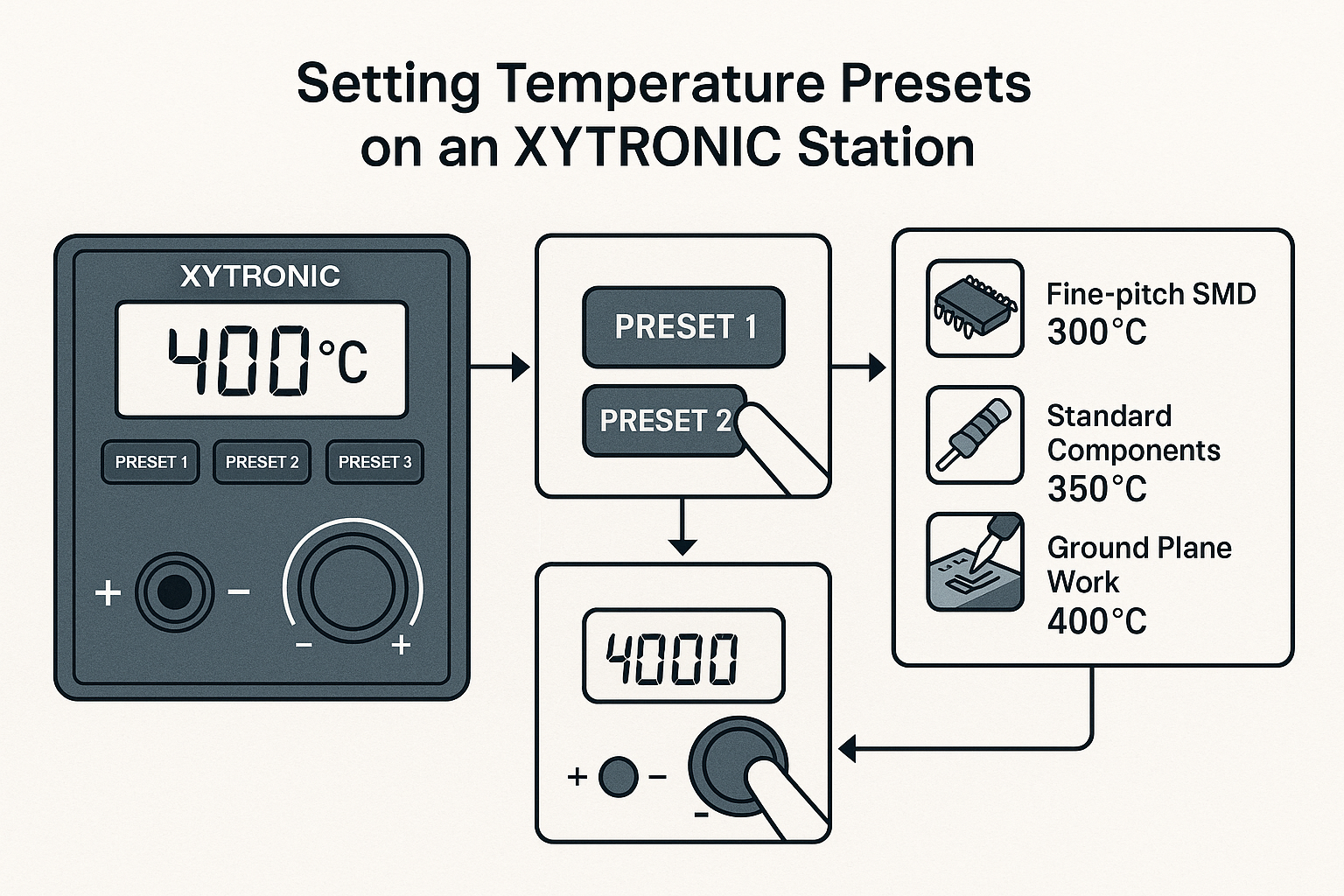
Memory Presets: Store up to 10 different temperature profiles for quick switching between lead-free and leaded applications.
Ergonomic Considerations for Extended Use
Temperature control isn’t just about the numbers—it’s about maintaining precision over long work sessions. The station’s ergonomic design reduces fatigue, allowing you to maintain steady hands even during extended soldering sessions.
Safety Considerations and Best Practices ⚠️
ESD Protection During Temperature Changes
When switching between different temperature presets, ESD safety protocols become even more critical. Temperature changes can affect the station’s grounding characteristics, making proper ESD precautions essential.
Thermal Safety Guidelines
Component Protection: Always verify component temperature ratings before selecting presets. Some polymer capacitors and plastic connectors have maximum temperatures well below typical soldering temperatures.
Flux Considerations: Different flux types have varying temperature ranges. Water-soluble flux typically handles higher temperatures better than rosin-based alternatives.
Ventilation Requirements: Lead-free soldering produces different fumes than leaded work. Ensure adequate ventilation regardless of solder type.
Troubleshooting Common Temperature-Related Issues
Cold Joints and Insufficient Heat Transfer
Symptoms: Dull, grainy appearance; poor electrical connection; mechanical weakness
Solutions:
- Increase temperature by 20-30°C
- Verify tip condition and cleanliness
- Check for adequate flux application
- Consider larger tip for better heat transfer
Overheating and Component Damage
Symptoms: Lifted pads; discolored PCB; component failure
Solutions:
- Reduce temperature incrementally
- Decrease dwell time
- Use thermal barriers for sensitive components
- Consider preheating to reduce thermal shock
Inconsistent Results Between Solder Types
Many technicians struggle when switching between lead-free and leaded work. The key is understanding that it’s not just about temperature—timing, technique, and tip selection all change between solder types.
Advanced Preset Configurations 📊
Creating Custom Temperature Profiles
The XYTRONIC station allows for sophisticated preset configurations that go beyond simple temperature settings:
Ramp Rates: Control how quickly the station reaches target temperature
Standby Temperatures: Automatically reduce temperature during idle periods
Auto-shutoff: Safety feature that powers down after extended idle time
Production Environment Optimization
For high-volume work, consider these preset strategies:
- Morning Warm-up: 250°C preset for initial heating
- Standard Production: 370°C for lead-free, 340°C for leaded
- Rework Station: 400°C for component removal
- End-of-shift: 180°C standby temperature
Maximizing Station Performance
Maintenance for Temperature Accuracy
Regular calibration ensures your presets remain accurate over time. The XYTRONIC station includes built-in calibration routines that verify temperature accuracy across the full operating range.
Weekly Checks:
- Verify temperature with external thermometer
- Clean tip and holder assemblies
- Check for firmware updates
Monthly Maintenance:
- Full calibration cycle
- Inspect cables and connections
- Review and update preset configurations
Integration with Modern Workflows
Today’s electronics work demands flexibility and speed. The station’s preset system integrates seamlessly with modern production requirements, whether you’re a hobbyist learning the basics or a professional managing complex assemblies.
Ready to upgrade your soldering capabilities? Shop XYTRONIC soldering stations and experience the precision that comes with professional-grade temperature control.
Real-World Application Examples
Smartphone Repair Scenarios
When repairing modern smartphones, I typically use these preset configurations:
- Connector replacement: 360°C (lead-free required for commercial repair)
- IC removal: 380°C with controlled airflow
- Fine-pitch work: 340°C with flux paste
Prototype Development
For prototype PCB assembly, temperature presets save significant time:
- Component placement: 350°C for most SMD work
- Connector installation: 370°C for through-hole parts
- Rework operations: 390°C for component removal
Production Line Integration
Manufacturing environments benefit from standardized presets that ensure consistency across multiple operators and shifts.
Future-Proofing Your Temperature Strategy
Emerging Solder Technologies
New solder alloys continue to emerge, each with specific temperature requirements. The XYTRONIC station’s flexible preset system adapts to these evolving needs without requiring hardware changes.
Low-Temperature Alloys: Some newer formulations melt at temperatures between traditional leaded and lead-free solders
High-Reliability Applications: Aerospace and medical applications may require specialized temperature profiles
Industry Trend Considerations
As components become smaller and more heat-sensitive, precise temperature control becomes increasingly critical. The investment in a quality station with sophisticated preset capabilities pays dividends as technology advances.
Conclusion
Mastering the best temperature presets on this station transforms your soldering from guesswork into precision engineering. Whether you’re working with traditional leaded solder at 340°C or navigating lead-free requirements at 370°C, the XYTRONIC station’s advanced temperature management ensures consistent, professional results.
The key takeaways for optimal temperature preset usage are:
✅ Match temperature to solder type: Lead-free requires 30-40°C higher than leaded
✅ Consider component sensitivity: Start lower and increase as needed
✅ Use presets for consistency: Eliminate variables and improve repeatability
✅ Maintain your equipment: Regular calibration ensures preset accuracy
Your next step should be to establish a preset library that matches your specific work requirements. Start with the recommended temperatures in this guide, then fine-tune based on your components, PCB types, and quality requirements.
For more insights on optimizing your soldering setup, explore our comprehensive guides at soldering-station.com/blog. Whether you’re troubleshooting techniques or exploring advanced applications, proper temperature control remains the foundation of professional soldering results.