
Picture this: You’re three hours into a complex PCB assembly project, your hand is cramping, your wrist aches, and that precision you started with has deteriorated into shaky, unreliable movements. Sound familiar? If you’re an electronics engineer or dedicated hobbyist, you’ve likely experienced the physical toll that extended soldering sessions can take on your body. The culprit isn’t just time—it’s poor ergonomics.
In 2025, as electronics become increasingly miniaturized and projects more complex, the demands on our physical capabilities have never been higher. The difference between a productive, comfortable work session and one that leaves you sidelined with repetitive strain injuries often comes down to three critical factors: handpiece grip design, cable flexibility, and fatigue management strategies.
Key Takeaways
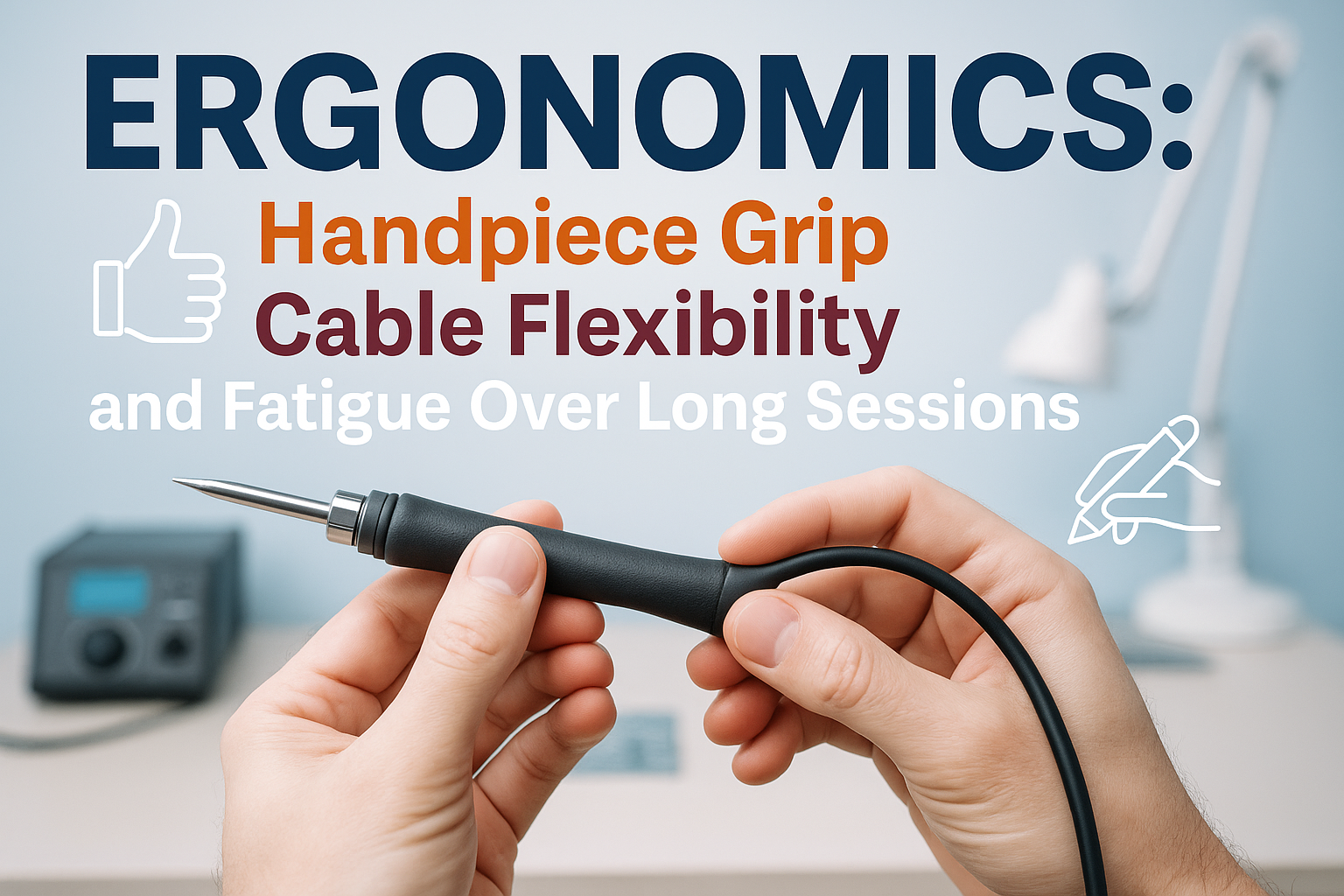
• Proper handpiece grip reduces hand fatigue by up to 40% and improves precision during extended soldering sessions
• Flexible, lightweight cables prevent wrist strain and allow natural hand movements without resistance
• Ergonomic design features like balanced weight distribution and heat-resistant grips significantly impact long-term comfort
• Regular breaks and proper technique are essential for preventing repetitive strain injuries in electronics work
• Investing in quality ergonomic tools pays dividends in both productivity and long-term health outcomes
Understanding Ergonomics in Electronics Work
Ergonomics isn’t just a buzzword—it’s the science of designing equipment and workspaces to fit the human body’s natural capabilities and limitations. In electronics work, poor ergonomics can lead to:
- Carpal tunnel syndrome 🤲
- Tendonitis in wrists and forearms
- Neck and shoulder strain from poor posture
- Eye strain from inadequate lighting and positioning
- Reduced precision and increased error rates
When we talk about ergonomics in handpiece grip, cable flexibility, and fatigue over long sessions, we’re addressing the foundation of comfortable, productive electronics work.
The Science Behind Handpiece Grip Design
Grip Diameter and Hand Anatomy
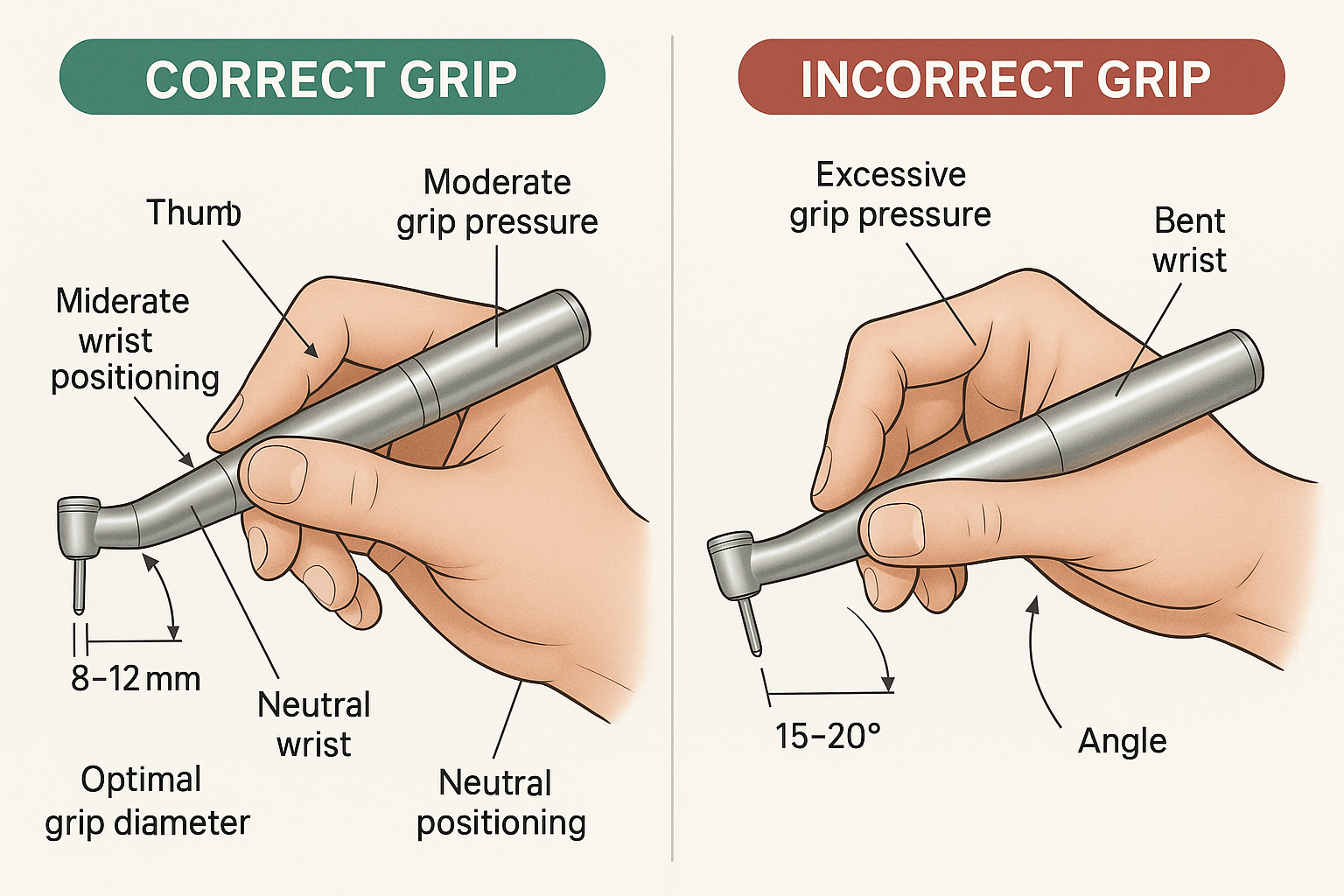
The human hand functions optimally when gripping objects between 8-12mm in diameter. This range allows for:
- Maximum finger dexterity
- Reduced muscle tension
- Optimal blood circulation
- Natural wrist positioning
Most quality soldering irons feature grips within this range, but the material and texture matter just as much as size.
Grip Materials and Textures
| Material | Pros | Cons | Best For |
|———-|——|——|———-|
| Silicone | Heat resistant, comfortable | Can attract debris | Long sessions |
| Textured plastic | Durable, easy to clean | May become slippery | General use |
| Rubber composite | Excellent grip, shock absorption | Degrades over time | Precision work |
| Knurled metal | Permanent texture, professional feel | Can be harsh on skin | Industrial applications |
Weight Distribution and Balance
A well-designed handpiece distributes weight evenly, with the center of gravity positioned close to your natural grip point. This reduces the muscular effort required to maintain control and prevents the “tip-heavy” feeling that causes hand fatigue.
Learn more about selecting the right tools for your needs to ensure optimal ergonomic performance.
Cable Flexibility: The Unsung Hero of Ergonomic Design
Why Cable Design Matters
Your soldering iron’s cable is more than just a power conduit—it’s a critical ergonomic component. A stiff, heavy cable can:
- Restrict natural hand movements
- Create drag and resistance during precise work
- Force awkward wrist positions to compensate for cable pull
- Cause premature fatigue in forearm muscles
Characteristics of Ergonomic Cables
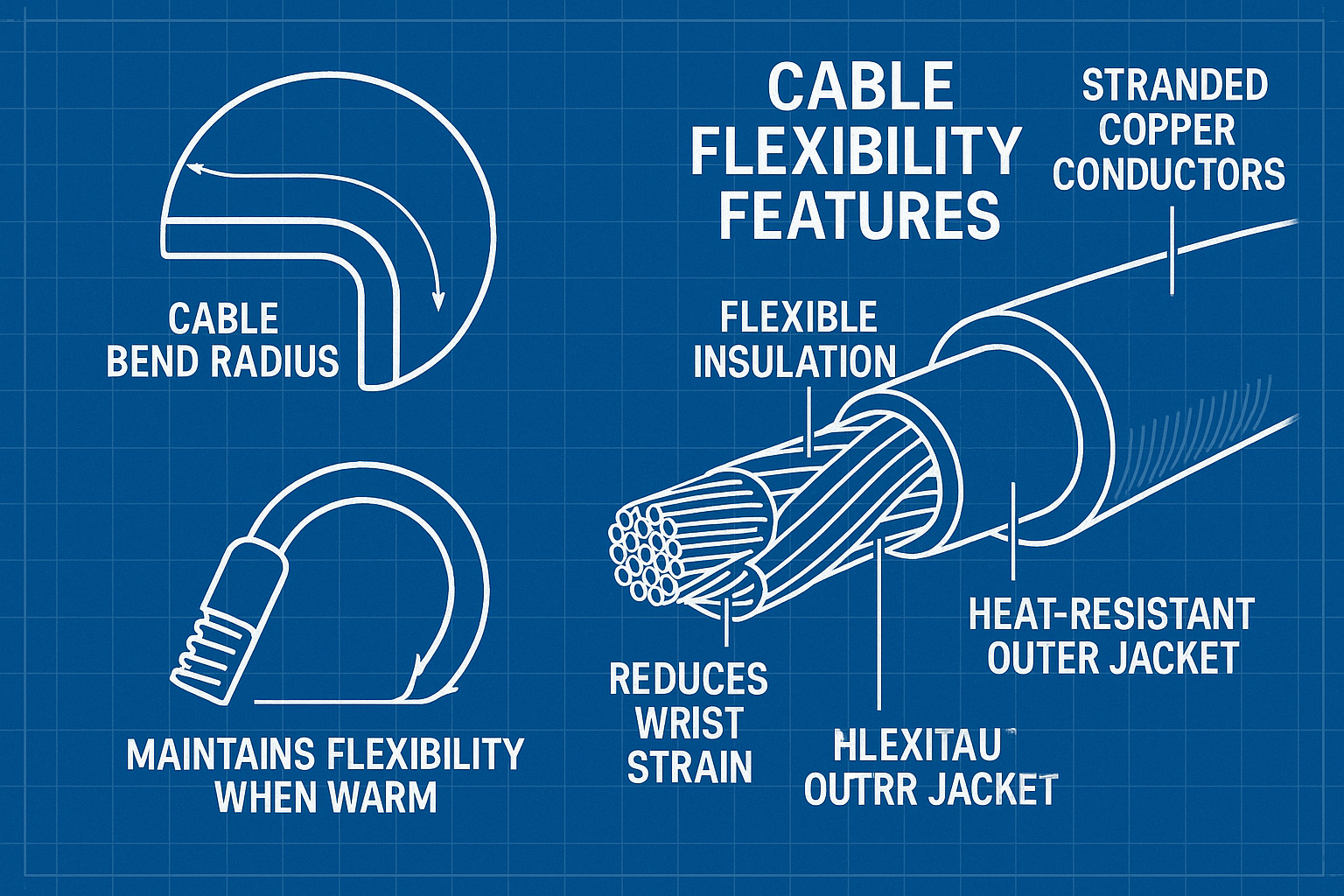
Flexibility: High-quality cables use stranded copper conductors with flexible insulation that bends easily without kinking.
Weight: Lightweight cables reduce the overall system weight, minimizing the load on your hand and wrist.
Length: Optimal cable length (typically 1.2-1.5 meters) provides freedom of movement without excess weight or tangling.
Heat Resistance: Cables that remain flexible even when warm prevent the stiffening that occurs with lower-quality materials.
Cable Management Strategies
- Use cable holders or clips to manage excess length
- Position your station to minimize cable tension
- Avoid sharp bends that can damage internal conductors
- Regular inspection for wear, kinks, or damage
Understanding Fatigue in Extended Electronics Sessions
Types of Fatigue in Electronics Work
Physical Fatigue occurs when muscles become tired from sustained contractions or repetitive movements. In soldering, this typically affects:
- Fingers and thumb (grip fatigue)
- Wrist and forearm (positioning fatigue)
- Neck and shoulders (postural fatigue)
Mental Fatigue develops from sustained concentration and can actually increase physical fatigue by causing muscle tension and poor posture.
Visual Fatigue results from focusing on small components and can contribute to overall exhaustion and reduced accuracy.
The Physiology of Hand Fatigue
During extended soldering sessions, several physiological changes occur:
- Reduced blood flow to compressed tissues
- Accumulation of metabolic waste in muscle fibers
- Depletion of energy stores in frequently used muscles
- Increased muscle tension from sustained grip pressure
Understanding these changes helps us develop strategies to minimize their impact.
Ergonomic Features That Make a Difference
Heat Management
Thermal barriers between the heating element and grip area prevent heat transfer that can cause discomfort and force awkward grip positions.
Ventilation channels in the handpiece design help dissipate heat and maintain comfortable operating temperatures.
Grip Enhancements
Finger rests provide stable support points that reduce grip pressure requirements.
Contoured shapes that follow natural hand curves distribute pressure evenly across the palm and fingers.
Anti-slip surfaces allow for lighter grip pressure while maintaining control.
Quick-Change Systems
Modern soldering stations often feature quick-change tip systems that reduce the need for tools and minimize handling of hot components. This ergonomic feature reduces:
- Exposure to heat
- Time spent in awkward positions
- Risk of burns or injuries
For professionals seeking these advanced features, consider exploring XYTRONIC soldering stations known for their ergonomic design and user-friendly interfaces.
Practical Strategies for Reducing Fatigue
The 20-20-20 Rule for Electronics Work
Every 20 minutes, take a 20-second break and focus on something 20 feet away. This simple rule helps prevent both visual and physical fatigue.
Hand and Wrist Exercises
Finger stretches: Extend fingers fully, then make a fist. Repeat 10 times.
Wrist circles: Rotate wrists in both directions, 10 repetitions each way.
Tendon glides: Move fingers through their full range of motion to promote blood flow.
Workspace Optimization
- Adjust chair height so forearms are parallel to the work surface
- Position work at a comfortable distance (typically 12-16 inches from eyes)
- Use adequate lighting to reduce eye strain and prevent leaning
- Organize tools within easy reach to minimize stretching
Grip Pressure Management
Many people grip their soldering iron much tighter than necessary. Practice using the minimum grip pressure required to maintain control. This simple change can reduce hand fatigue by up to 30%.
Choosing Ergonomic Soldering Equipment
Evaluation Criteria
When selecting soldering equipment with ergonomics in mind, consider:
Weight: Lighter tools reduce cumulative fatigue
Balance: Even weight distribution improves control
Grip comfort: Test different grip sizes and materials
Cable quality: Assess flexibility and weight
Heat management: Look for effective thermal barriers
Testing and Trial Periods
Many professional suppliers offer trial periods or demonstrations. Take advantage of these opportunities to:
- Test grip comfort during extended use
- Evaluate cable flexibility and management
- Assess overall balance and weight distribution
- Compare fatigue levels with your current equipment
Budget Considerations
While ergonomic features often come at a premium, consider the long-term costs of:
- Reduced productivity due to fatigue
- Potential medical expenses from repetitive strain injuries
- Equipment replacement due to poor durability
- Lost time from discomfort-related breaks
🛒 Ready to upgrade your workspace? Shop XYTRONIC soldering stations for professional-grade ergonomic features at competitive prices.
Common Ergonomic Mistakes to Avoid
Grip-Related Errors
❌ Death grip syndrome: Holding the iron too tightly
❌ Incorrect finger placement: Gripping too close to the tip
❌ Ignoring discomfort: Working through pain signals
❌ Poor tool selection: Using equipment that doesn’t fit your hand size
Workspace Setup Mistakes
❌ Working at wrong height: Forcing awkward wrist angles
❌ Poor lighting: Causing eye strain and poor posture
❌ Inadequate support: Missing wrist or arm rests
❌ Cable management neglect: Allowing cables to create drag or tension
Session Management Errors
❌ Skipping breaks: Working for hours without rest
❌ Ignoring early fatigue signs: Pushing through discomfort
❌ Poor hydration: Affecting muscle function and concentration
❌ Inadequate preparation: Not warming up hands and wrists
Advanced Ergonomic Considerations
Environmental Factors
Temperature control affects both comfort and performance. Maintain workspace temperature between 68-72°F (20-22°C) for optimal dexterity.
Humidity levels between 40-60% prevent static buildup while maintaining skin comfort.
Air circulation helps dissipate fumes and maintain comfortable working conditions.
Specialized Equipment
Ergonomic microscopes with adjustable viewing angles reduce neck strain during detailed work.
Anti-fatigue mats provide cushioning for extended standing sessions.
Adjustable work surfaces allow for optimal positioning regardless of task requirements.
Safety Integration
Ergonomic design and safety go hand-in-hand. Comfortable tools are safer tools because they:
- Reduce the likelihood of accidents due to fatigue
- Improve precision and control
- Encourage proper technique
- Minimize exposure to heat and harmful positions
For comprehensive safety information, check out our guide to soldering safety and ESD basics.
Measuring and Monitoring Ergonomic Impact
Subjective Assessment Tools
Comfort rating scales: Rate comfort levels before, during, and after work sessions on a 1-10 scale.
Fatigue tracking: Monitor when fatigue begins and how it progresses throughout sessions.
Pain mapping: Document any discomfort locations and intensity levels.
Objective Measurements
Session duration: Track how long you can work comfortably with different equipment.
Accuracy metrics: Monitor error rates as potential indicators of fatigue.
Productivity measures: Compare work output with different ergonomic setups.
Long-Term Health Monitoring
Regular self-assessment for:
- Joint stiffness or pain
- Muscle tension patterns
- Sleep quality impacts
- Overall work satisfaction
Industry Standards and Best Practices
Professional Guidelines
The Occupational Safety and Health Administration (OSHA) provides guidelines for repetitive motion injuries that apply to electronics work.
IEEE standards include recommendations for workspace design in electronics manufacturing environments.
Manufacturer Responsibilities
Leading manufacturers now incorporate ergonomic principles into their design processes, considering:
- Anthropometric data for grip sizing
- Biomechanical analysis for optimal weight distribution
- User testing with extended session protocols
- Continuous improvement based on user feedback
Future Trends in Ergonomic Design
Smart Ergonomics
Sensor integration in tools can monitor grip pressure, usage patterns, and provide fatigue warnings.
AI-powered recommendations based on individual usage patterns and physiological data.
Adaptive interfaces that adjust to user preferences and work patterns.
Material Innovations
Shape-memory alloys for grips that conform to individual hand shapes.
Advanced composites offering superior heat resistance and lighter weight.
Antimicrobial surfaces for improved hygiene in shared work environments.
Personalization Technologies
3D-printed grips customized to individual hand measurements.
Modular designs allowing users to configure tools for their specific needs.
Biometric feedback systems for real-time ergonomic optimization.
Building an Ergonomic Electronics Workspace
Essential Components
- Adjustable work surface (height and angle)
- Quality lighting (adjustable intensity and color temperature)
- Ergonomic seating with proper lumbar support
- Tool organization systems for easy access
- Climate control for comfort and component protection
Layout Principles
Primary work zone: Keep frequently used tools within arm’s reach
Secondary zone: Position occasionally used items within easy access
Storage zone: Organize rarely used equipment in designated areas
Continuous Improvement
Regular workspace evaluation and adjustment based on:
- Usage patterns and workflow changes
- New equipment integration
- Feedback from extended sessions
- Health and comfort assessments
For more insights on optimizing your electronics workspace, explore our comprehensive blog resources covering various aspects of soldering station setup and maintenance.
Conclusion
Ergonomics in handpiece grip, cable flexibility, and fatigue management isn’t just about comfort—it’s about maintaining peak performance, preventing injury, and ensuring long-term career sustainability in electronics work. The investment in proper ergonomic equipment and practices pays dividends in:
- Improved accuracy and precision in detailed work
- Increased productivity through reduced fatigue and breaks
- Better long-term health outcomes and career longevity
- Enhanced job satisfaction and work quality
Your Next Steps:
- Assess your current setup using the criteria discussed in this article
- Identify problem areas where fatigue or discomfort occurs
- Research ergonomic alternatives for your most problematic tools
- Implement workspace improvements starting with the most impactful changes
- Monitor your progress and adjust as needed
Remember, ergonomics is not a one-size-fits-all solution. What works for one person may not work for another, so take the time to find the combination of tools, techniques, and workspace setup that works best for your unique needs.
The future of electronics work demands precision, endurance, and adaptability. By prioritizing ergonomics today, you’re investing in your ability to meet these demands tomorrow while maintaining your health and well-being throughout your career.