
Have you ever stared at a broken gaming console or smartphone, knowing that a simple component replacement could bring it back to life, but felt overwhelmed by the complexity of modern electronics repair? The truth is, 90% of phone and console repairs can be accomplished with just two essential tools: a high-quality soldering station and the right flux. Gone are the days when you needed an entire workshop filled with expensive equipment to tackle these repairs professionally.
As someone who’s spent countless hours repairing everything from water-damaged iPhones to red-ring Xbox consoles, I’ve learned that success in electronics repair isn’t about having the most tools—it’s about mastering the fundamentals with precision equipment. In this comprehensive guide, I’ll walk you through exactly how to approach phone and console repairs using a streamlined setup that delivers professional results every time.
Key Takeaways
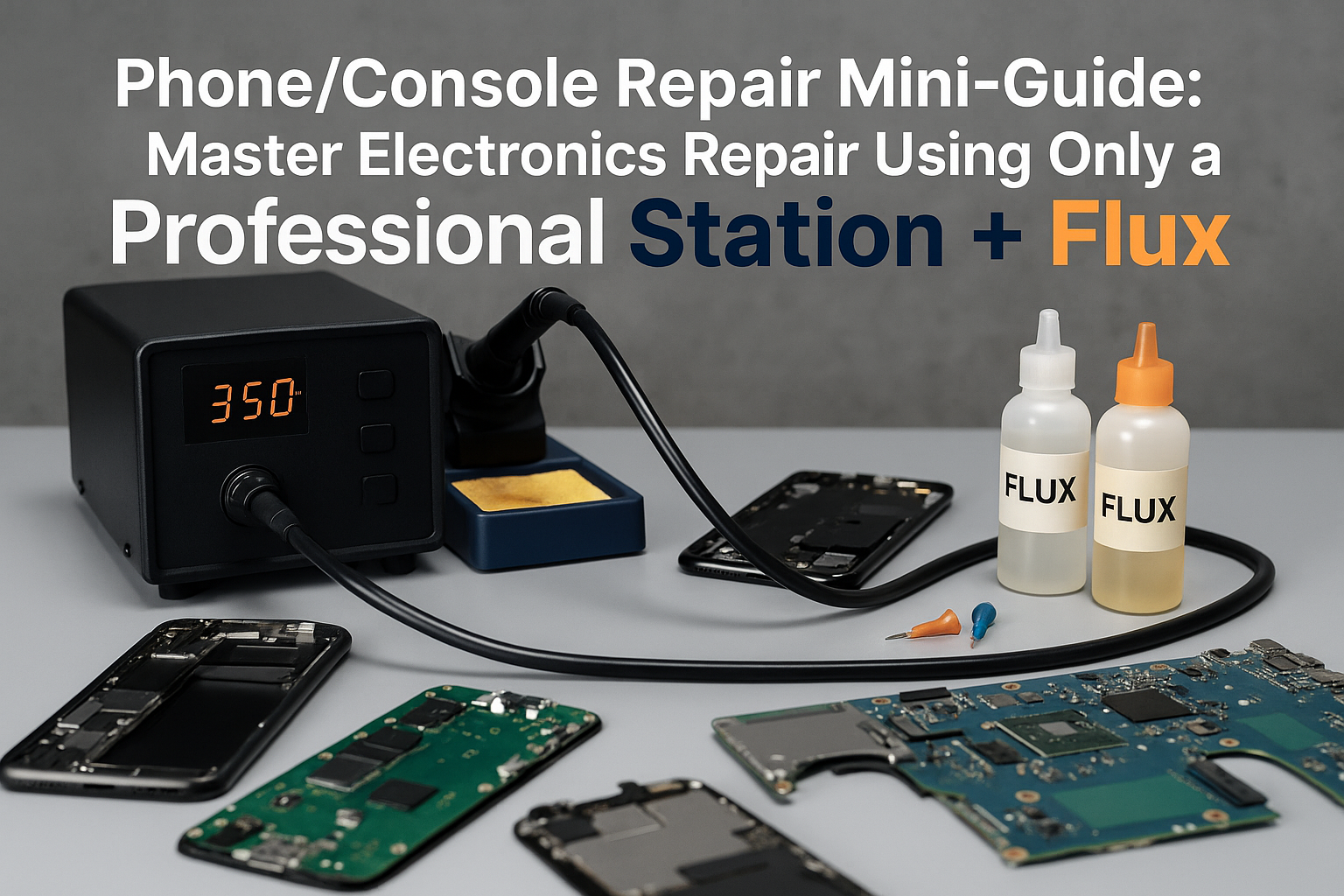
• A professional soldering station with precise temperature control is the foundation of successful phone and console repair, handling 90% of component-level fixes
• Quality flux is your secret weapon for clean joints, easier component removal, and preventing thermal damage to sensitive circuits
• Proper technique and safety protocols matter more than expensive equipment when working with modern electronics
• Understanding component identification and thermal management separates successful repairs from costly mistakes
• The right station setup can handle everything from tiny smartphone capacitors to large console heat sinks with equal precision
Why This Minimalist Approach Works for Modern Electronics
Modern smartphones and gaming consoles might seem incredibly complex, but at their core, they’re built using standard electronic components connected through surface-mount technology (SMT). Whether you’re dealing with a PlayStation 5’s HDMI port or an iPhone’s charging circuit, the fundamental repair techniques remain remarkably consistent.
The beauty of focusing on just a professional soldering station and quality flux lies in versatility. These tools can handle:
- Component replacement (capacitors, resistors, ICs)
- Connector repairs (charging ports, HDMI, audio jacks)
- Board-level troubleshooting (trace repair, jumper wire installation)
- Thermal management (heat sink reattachment, thermal pad replacement)
This approach eliminates the confusion of choosing between dozens of specialized tools while ensuring you develop deep expertise with the equipment that matters most.
Essential Equipment: Your Complete Repair Arsenal
The Foundation: Professional Soldering Station
Your soldering station is the heart of every repair operation. For phone and console work, you need precise temperature control, rapid heat recovery, and ESD protection. The temperature control capabilities of your station directly impact your success rate with delicate components.
Key specifications to prioritize:
| Feature | Requirement | Why It Matters |
|———|————-|—————-|
| Temperature Range | 200°C – 450°C | Covers all component types |
| Heat Recovery | < 3 seconds | Maintains consistent temperature |
| ESD Protection | Built-in grounding | Protects sensitive circuits |
| Tip Variety | Multiple sizes available | Adapts to different components |
The rapid heat-up and recovery capabilities become crucial when working on modern devices with dense component layouts. You can’t afford temperature fluctuations that might damage adjacent components.
Flux: Your Repair Success Multiplier
Quality flux transforms difficult repairs into manageable tasks. It’s not just about making solder flow better—flux actively cleans oxidation, reduces surface tension, and provides thermal protection during the soldering process.
Essential flux types for phone/console repair:
- No-clean flux paste: Perfect for precision work on small components
- Liquid flux: Ideal for cleaning and preparing connection points
- Flux-core solder: Convenient for quick repairs and wire connections
💡 Pro Tip: Always apply fresh flux before attempting component removal. Old, contaminated flux can actually make repairs more difficult and increase the risk of thermal damage.
Phone Repair Fundamentals
Understanding Modern Smartphone Construction
Today’s smartphones pack incredible complexity into impossibly small spaces. Every millimeter matters, and thermal management becomes critical when working near processors, memory chips, and battery connections.
Common phone repair scenarios:
- Charging port replacement – Usually involves 4-6 connection points
- Battery connector repair – Requires precision to avoid short circuits
- Camera module replacement – Often includes flex cable repairs
- Audio jack restoration – Increasingly rare but still valuable skill
Temperature Management for Phone Repairs
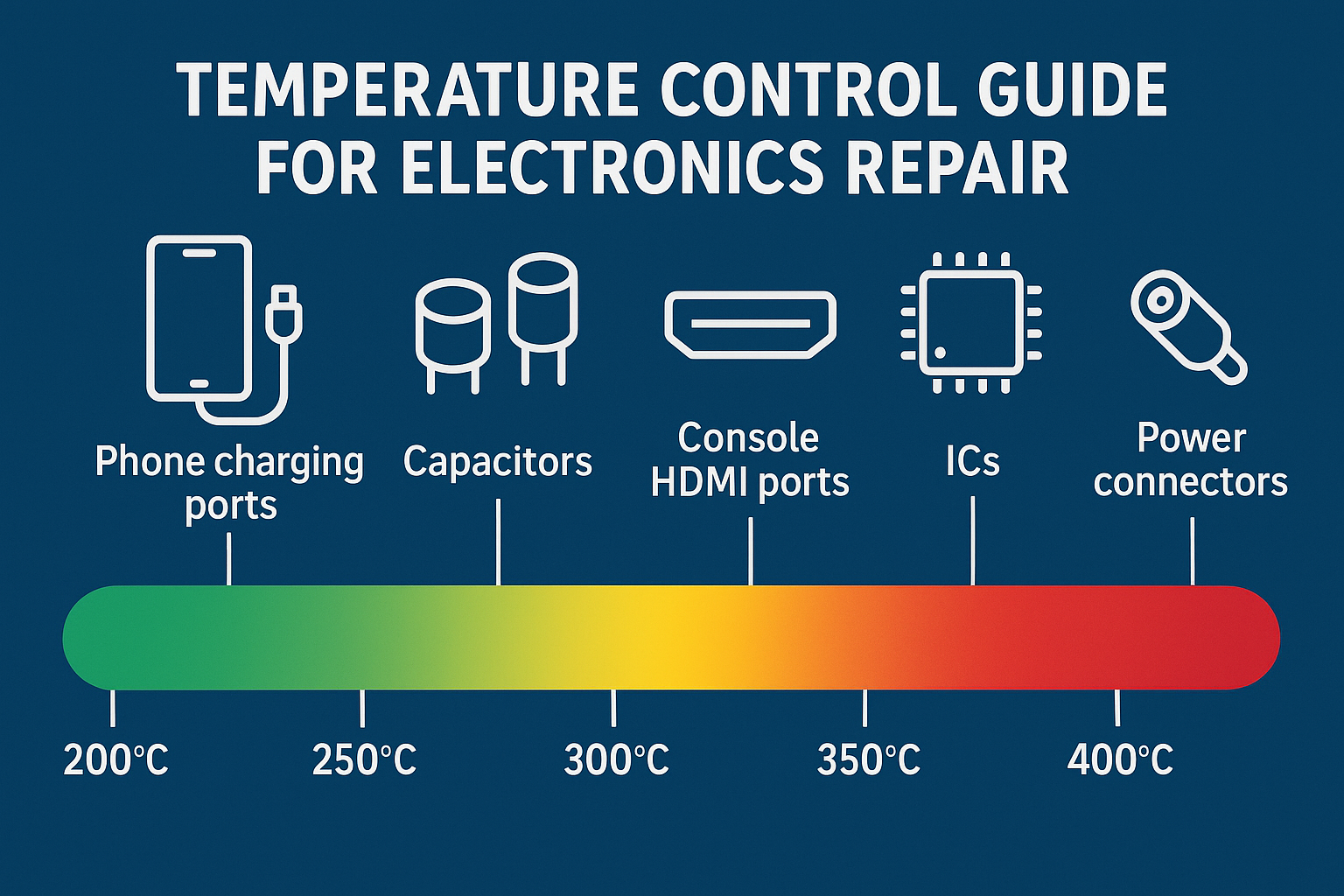
Phone components operate within strict thermal tolerances. Exceed these limits, and you’ll create more problems than you solve. Here’s my temperature guide for common phone components:
- Charging connectors: 300-320°C
- Small capacitors: 280-300°C
- Flex cable connections: 250-280°C
- Battery connectors: 280-300°C
The ESD safety protocols become especially important with phones, as static discharge can instantly destroy expensive processors or memory chips.
Step-by-Step Phone Repair Process
1. Preparation and Assessment
- Power down completely and remove battery if possible
- Clean work area and ensure proper grounding
- Apply flux to connection points before heating
2. Component Removal
- Use appropriate tip selection for the component size
- Heat all connection points simultaneously when possible
- Work quickly but deliberately to minimize heat exposure
3. Installation and Testing
- Clean all connection points with isopropyl alcohol
- Apply fresh flux before installing new components
- Test functionality before final assembly
Console Repair Mastery
Console-Specific Challenges
Gaming consoles present unique repair challenges compared to phones. Larger components, higher power requirements, and different thermal characteristics require adjusted techniques while using the same fundamental tools.
Xbox Series X/S Common Issues:
- HDMI port failures from insertion force
- Thermal paste degradation causing overheating
- Power supply capacitor failures
PlayStation 5 Typical Problems:
- Fan controller issues requiring SMD component replacement
- USB port damage from controller cables
- Memory module connection problems
Nintendo Switch Frequent Repairs:
- Joy-Con rail replacement requiring precision soldering
- Charging port wear from frequent docking
- Screen connector repairs from drop damage
Advanced Console Repair Techniques
Console repairs often involve larger thermal masses that require different heating strategies. Your soldering station’s thermal recovery capabilities become crucial when working with components like HDMI ports that act as heat sinks.
Heat management strategies:
- Preheat larger components gradually to avoid thermal shock
- Use higher temperatures (350-400°C) for larger connections
- Work in sections for multi-pin connectors to maintain precision
- Allow cooling time between operations to prevent cumulative heat damage
Safety Protocols and Best Practices
ESD Protection: Non-Negotiable for Success
Electrostatic discharge kills more electronics than any other factor in repair environments. Modern gaming consoles and smartphones contain processors that can be destroyed by static charges you can’t even feel.
Essential ESD protection:
- Grounded work surface connected to your station
- Anti-static wrist strap properly connected
- ESD-safe tools and containers for components
- Controlled humidity environment when possible
The comprehensive ESD safety features built into professional stations provide multiple layers of protection for both you and the devices you’re repairing.
Ergonomics for Extended Repair Sessions
Professional repair work often involves hours of detailed, precision work. Poor ergonomics lead to fatigue, which directly impacts repair quality and increases mistake rates.
Proper ergonomics and handpiece design considerations include:
- Adjustable work surface height to maintain neutral wrist position
- Proper lighting to reduce eye strain during microscopic work
- Regular breaks to prevent repetitive stress injuries
- Quality seating that supports extended concentration periods
Advanced Techniques and Troubleshooting
Flux Application Mastery
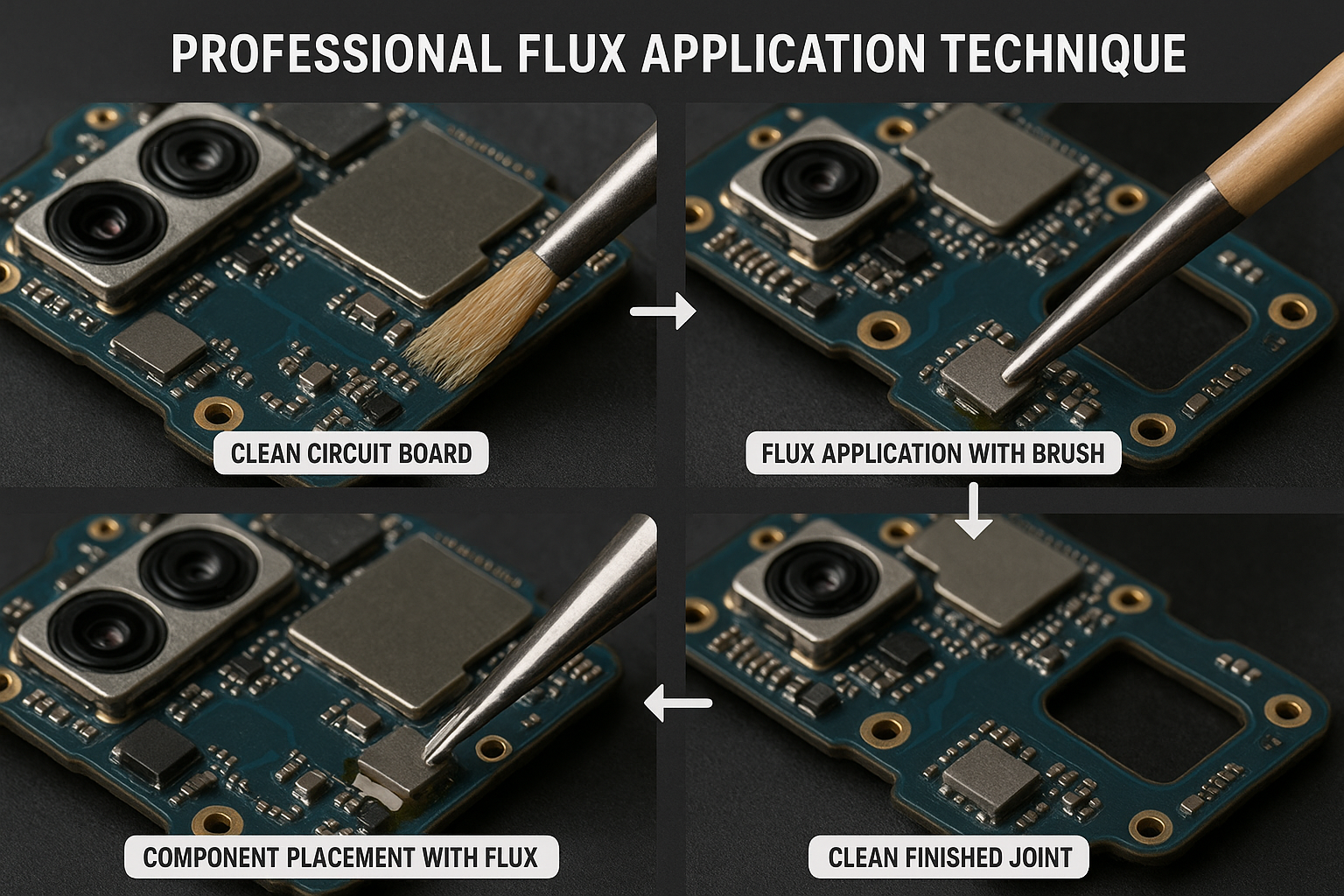
Strategic flux application can make the difference between a clean, professional repair and a messy rework that damages surrounding components.
Advanced flux techniques:
- Pre-tinning with flux creates better thermal transfer
- Flux cleaning prevents corrosion and improves reliability
- Temperature-specific flux selection optimizes flow characteristics
- Controlled application prevents flux contamination of sensitive areas
Component Identification and Sourcing
Modern electronics use standardized component packages across manufacturers. Learning to identify common component types accelerates diagnosis and repair planning.
Common SMD component packages:
- 0402/0603/0805 resistors and capacitors
- SOT-23 transistors and voltage regulators
- QFN/BGA integrated circuits and processors
- Connector standards across device manufacturers
Temperature Optimization Strategies
Different solder types and component materials require specific temperature profiles for optimal results. The science behind temperature control directly impacts joint quality and component survival rates.
Lead-free vs. leaded considerations:
- Lead-free solder requires 20-30°C higher temperatures
- Component compatibility varies between solder types
- Flux selection must match solder chemistry
- Joint appearance differs between solder types
Understanding lead-free vs leaded temperature requirements helps you achieve consistent results across different device types and ages.
Building Your Repair Workflow
Systematic Approach to Complex Repairs
Successful repairs follow predictable patterns regardless of device complexity. Developing a systematic workflow reduces errors and improves efficiency.
Universal repair workflow:
- Documentation phase – Photos, notes, component identification
- Preparation phase – Cleaning, flux application, tool selection
- Execution phase – Controlled heating, precise component handling
- Verification phase – Testing, cleaning, quality inspection
- Assembly phase – Reverse disassembly with attention to cable routing
Quality Control and Testing
Professional repair work requires thorough testing at multiple stages. Don’t wait until final assembly to discover problems—test functionality at each major milestone.
Testing checkpoints:
- Power-on test after any power-related component work
- Connectivity test after port or connector repairs
- Thermal test after heat sink or cooling system work
- Function test of all affected systems before closure
Maximizing Station Efficiency
Auto-Sleep and Energy Management
Modern repair workflows benefit from intelligent power management that balances energy efficiency with operational readiness. The auto-sleep and energy-saving features of professional stations extend tip life while maintaining safety standards.
Efficiency optimization:
- Programmed temperature profiles for different repair types
- Automatic standby modes during extended diagnosis periods
- Tip life extension through proper thermal cycling
- Energy cost reduction without compromising performance
Professional Station Investment
Investing in a professional-grade soldering station pays dividends in repair success rates, efficiency, and long-term reliability. The comprehensive capabilities of modern stations justify the investment through improved repair outcomes and reduced rework rates.
Ready to upgrade your repair capabilities? Shop XYTRONIC soldering stations and experience the difference that professional-grade equipment makes in your repair success rate.
Conclusion
Mastering phone and console repair with just a professional soldering station and quality flux isn’t just possible—it’s the most efficient path to repair expertise. By focusing on these fundamental tools, you develop deep competency that translates across all device types and repair scenarios.
The key insights that will transform your repair success:
- Temperature precision matters more than tool quantity for consistent results
- Quality flux eliminates most common soldering problems before they occur
- Systematic workflows prevent expensive mistakes on complex devices
- ESD protection is mandatory, not optional, for modern electronics
- Professional equipment pays for itself through improved success rates
Your next steps:
- Assess your current station capabilities against professional repair requirements
- Practice flux application techniques on non-critical components first
- Develop systematic workflows for your most common repair types
- Invest in quality equipment that grows with your skill development
- Build comprehensive ESD protection into your workspace design
Remember, every expert repair technician started with the same fundamental tools and techniques covered in this guide. The difference between hobbyist and professional results lies not in having more equipment, but in mastering the essentials with precision and consistency.
For continued learning and advanced techniques, explore our comprehensive repair guides and stay updated on the latest repair methodologies and equipment innovations.