
Picture this: You’re deep into a complex PCB repair, switching between different components, when you realize you’ve been using the wrong tip shape for half your joints. Sound familiar? The secret to efficient soldering isn’t just having the right temperature or technique—it’s matching the perfect tip shape to each specific task.
After years of working with electronics engineers and hobbyists, I’ve discovered that most people use only 2-3 tip shapes for everything, missing out on the precision and efficiency that comes with proper tip compatibility. Today, I’ll reveal the 8 essential tip shapes that will transform your soldering workflow and handle 90% of your electronic projects with professional-level precision.
Key Takeaways
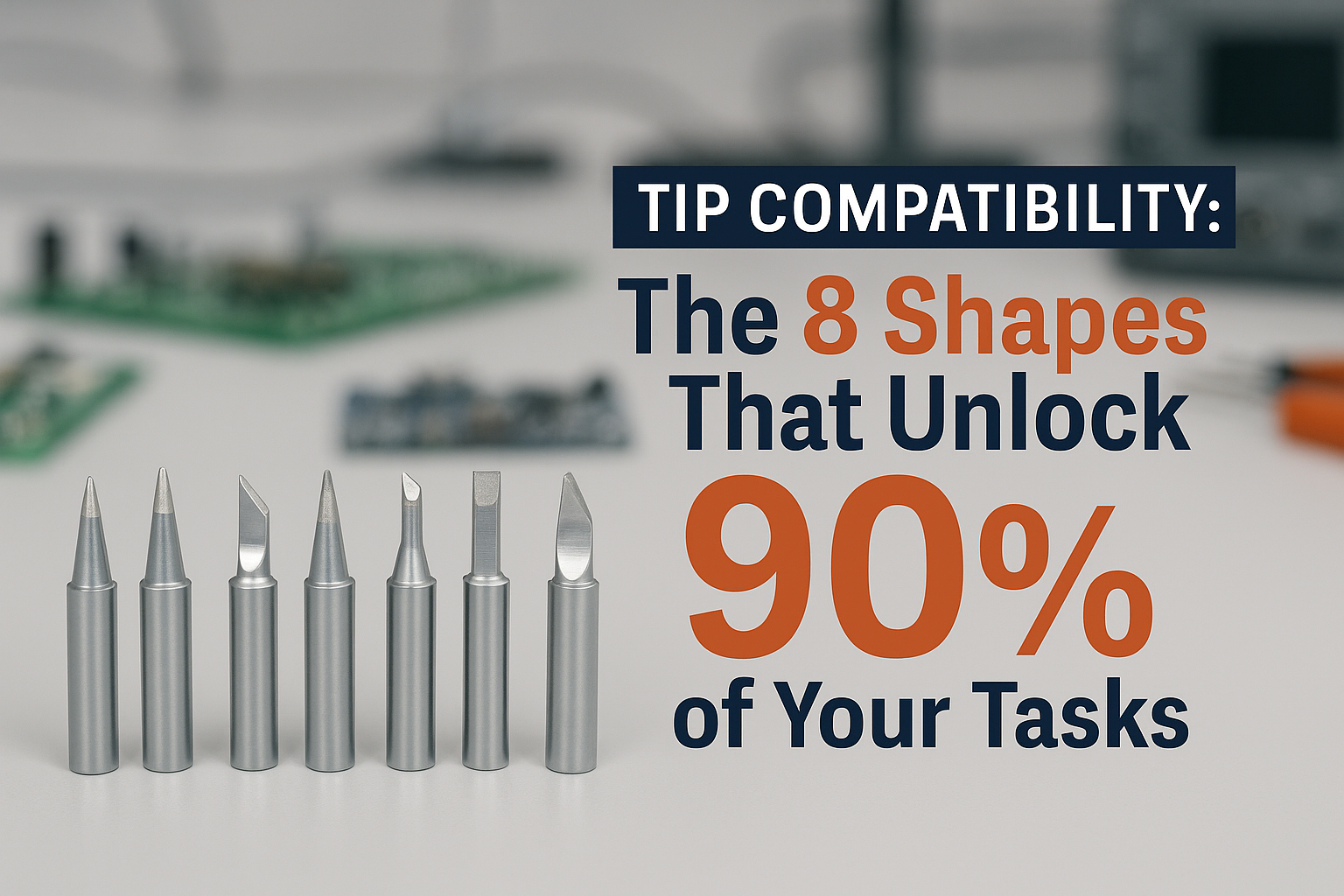
• Conical tips excel at precision work and small components, while chisel tips dominate through-hole soldering and larger joints
• Bevel tips offer the perfect balance between heat transfer and precision for surface-mount components
• Knife tips are essential for drag soldering and tight spaces between components
• Hoof tips provide superior heat transfer for desoldering and rework operations
• Matching the right tip shape to your task can reduce soldering time by up to 40% and improve joint quality significantly
Understanding Tip Compatibility Fundamentals
Before diving into the specific shapes, let’s establish what makes tip compatibility so crucial. Tip compatibility refers to how well a soldering tip’s shape, size, and thermal characteristics match the requirements of your specific soldering task.
The physics behind effective soldering involves three key factors:
- Heat transfer efficiency 📡
- Contact area optimization 🎯
- Access and maneuverability 🔧
When you choose the wrong tip shape, you’re fighting against these fundamental principles. A tip that’s too large creates excess heat zones that can damage nearby components. Too small, and you’ll struggle with insufficient heat transfer, leading to cold joints and extended contact times.
Temperature control becomes even more critical when you’re optimizing tip compatibility, as different shapes require different thermal management strategies.
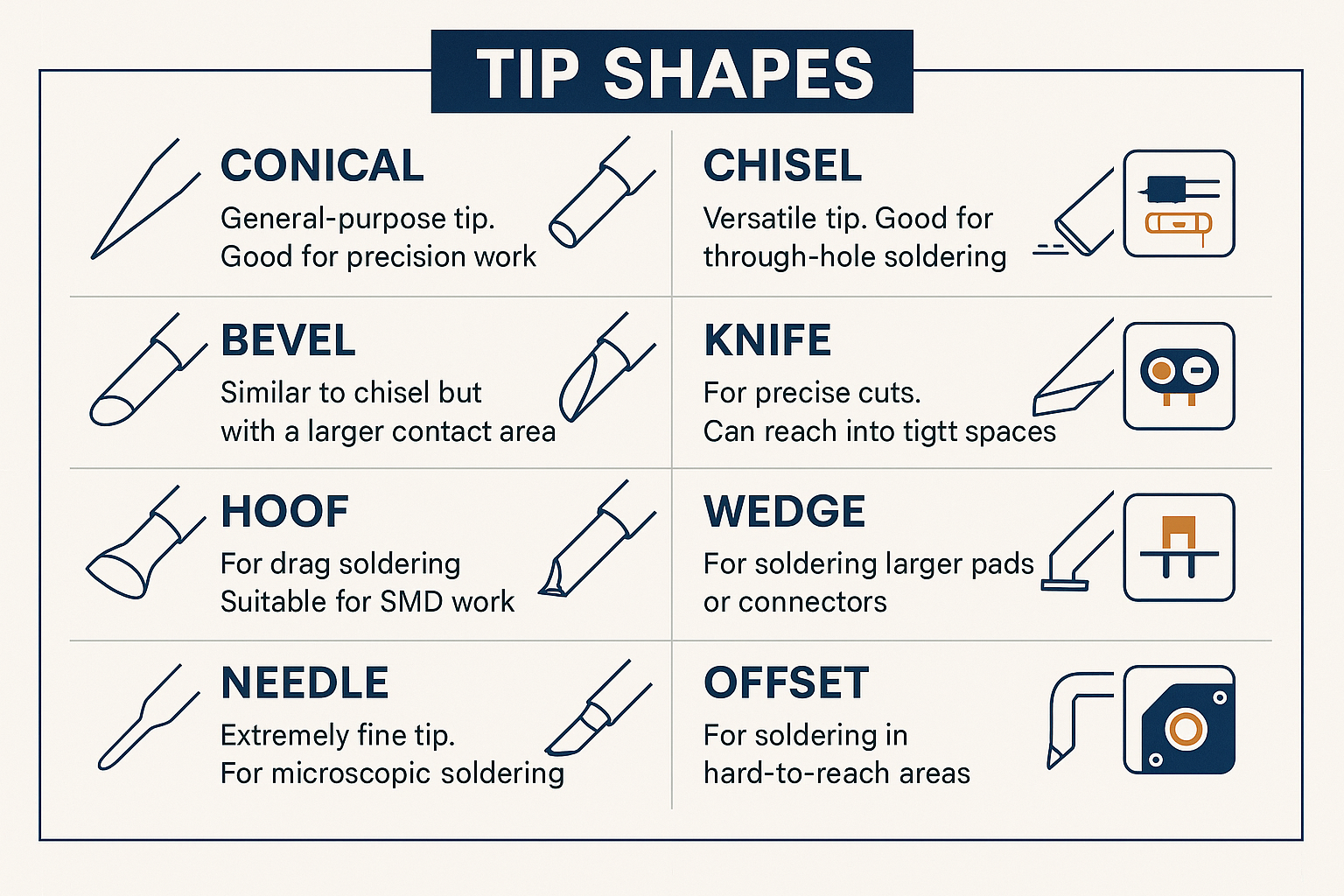
The 8 Essential Tip Shapes for Maximum Compatibility
1. Conical Tips (Pencil Point) 🖊️
Best for: Precision work, small components, wire connections
Conical tips are the Swiss Army knife of soldering. Their pointed design concentrates heat into a small area, making them perfect for:
- 0402 and 0603 resistors/capacitors
- Fine-pitch IC pins
- Wire-to-wire connections
- Touch-up work on existing joints
The key advantage of conical tips lies in their versatility. However, their smaller contact area means longer heat-up times for larger joints. I recommend keeping multiple sizes: 0.2mm for ultra-fine work, 0.5mm for general use, and 1.0mm for slightly larger components.
2. Chisel Tips (Flat Blade) 🔨
Best for: Through-hole components, larger surface pads, drag soldering
Chisel tips feature a flat, blade-like surface that maximizes contact area with both the component lead and the pad simultaneously. This dual-contact design makes them incredibly efficient for:
- Through-hole resistors and capacitors
- IC socket installation
- Connector soldering
- Ground plane connections
The flat surface allows for excellent heat transfer, reducing the time needed to bring both the pad and component to soldering temperature. For most through-hole work, a 2-3mm chisel tip provides the optimal balance of heat transfer and control.
3. Bevel Tips (Angled Edge) 📐
Best for: Surface-mount components, angled access, mixed component sizes
Bevel tips combine the precision of a conical tip with the heat transfer capabilities of a chisel tip. The angled cutting edge provides:
- Excellent access to angled components
- Superior heat transfer for SMD work
- Versatility across component sizes
- Reduced shadowing in tight spaces
I particularly love bevel tips for SOIC and TSSOP packages where you need both precision and adequate heat transfer. The angled design also makes them excellent for rework operations where you need to access components at awkward angles.
4. Knife Tips (Blade Edge) 🔪
Best for: Drag soldering, tight spaces, ribbon cable connections
Knife tips feature an extremely thin, blade-like edge that excels in situations where space is at a premium. Their unique design shines in:
- Drag soldering fine-pitch ICs
- Working between closely spaced components
- Ribbon cable and flex circuit connections
- Desoldering operations in confined spaces
The thin profile allows you to work in spaces where other tip shapes simply won’t fit. However, the reduced contact area means you need to be more mindful of temperature settings to ensure adequate heat transfer.
5. Hoof Tips (Concave Curve) 🐴
Best for: Desoldering, component removal, larger SMD components
Hoof tips feature a concave, horseshoe-like shape that cradles component leads and pads. This unique geometry makes them exceptional for:
- Desoldering through-hole components
- Removing larger SMD components
- Simultaneous heating of multiple pins
- Rework operations
The concave shape allows the tip to surround a component lead, providing 360-degree heat transfer. This makes desoldering much more efficient compared to trying to heat one side at a time with a conventional tip.
6. Wedge Tips (Triangular Point) 🔺
Best for: Surface-mount components, precision work, confined spaces
Wedge tips offer a triangular point that provides excellent precision while maintaining good heat transfer characteristics. They excel at:
- SOIC and SSOP packages
- Precision SMD work
- Component alignment during placement
- Fine-pitch connector work
The triangular geometry gives you multiple contact angles, allowing you to approach joints from different directions depending on component layout and accessibility.
7. Needle Tips (Ultra-Fine Point) 💉
Best for: Micro-components, repair work, precision applications
Needle tips take precision to the extreme with ultra-fine points typically ranging from 0.1mm to 0.4mm. These specialized tips are essential for:
- 0201 and smaller components
- Micro-BGA rework
- Precision repair work
- Prototype wire connections
While needle tips offer unmatched precision, they require careful temperature management due to their small thermal mass and tendency to overheat quickly.
8. Offset Tips (Angled Shaft) 🔄
Best for: Angled access, component clearance, ergonomic positioning
Offset tips feature an angled or bent shaft that allows access to components that would otherwise be blocked by surrounding elements. They’re particularly valuable for:
- Components under overhanging parts
- Angled board orientations
- Reducing hand fatigue during extended sessions
- Accessing components near tall obstacles
The angled design also improves ergonomics during long soldering sessions, reducing wrist strain and improving visibility of the work area.
Matching Tips to Common Electronic Tasks
PCB Assembly and SMD Work
For surface-mount device (SMD) assembly, tip selection dramatically impacts both speed and quality. Here’s my recommended approach:
Small Components (0402-0805): Start with a 0.5mm conical tip for placement and initial tacking, then switch to a 1.6mm bevel tip for final soldering. The bevel tip’s angled surface provides excellent heat transfer while maintaining precision.
Medium Components (1206-1812): A 2.4mm chisel tip offers the best balance of heat transfer and control. The flat surface ensures even heating across the entire pad area.
IC Packages: For SOIC and similar packages, wedge tips excel at individual pin soldering, while knife tips are perfect for drag soldering techniques.
Through-Hole Component Installation
Through-hole work benefits from tips that can simultaneously heat both the component lead and the pad. My go-to progression:
- Standard resistors/capacitors: 3.2mm chisel tip
- IC sockets and connectors: 4.6mm chisel tip
- Large capacitors and transformers: 6.4mm chisel tip or hoof tip
Repair and Rework Operations
Repair work often requires switching between multiple tip shapes within a single project. I recommend having these readily available:
- Needle tip for precision work and accessing damaged traces
- Hoof tip for component removal
- Knife tip for working in tight spaces
- Conical tip for general touch-up work
Advanced Tip Selection Strategies
Heat Transfer Optimization
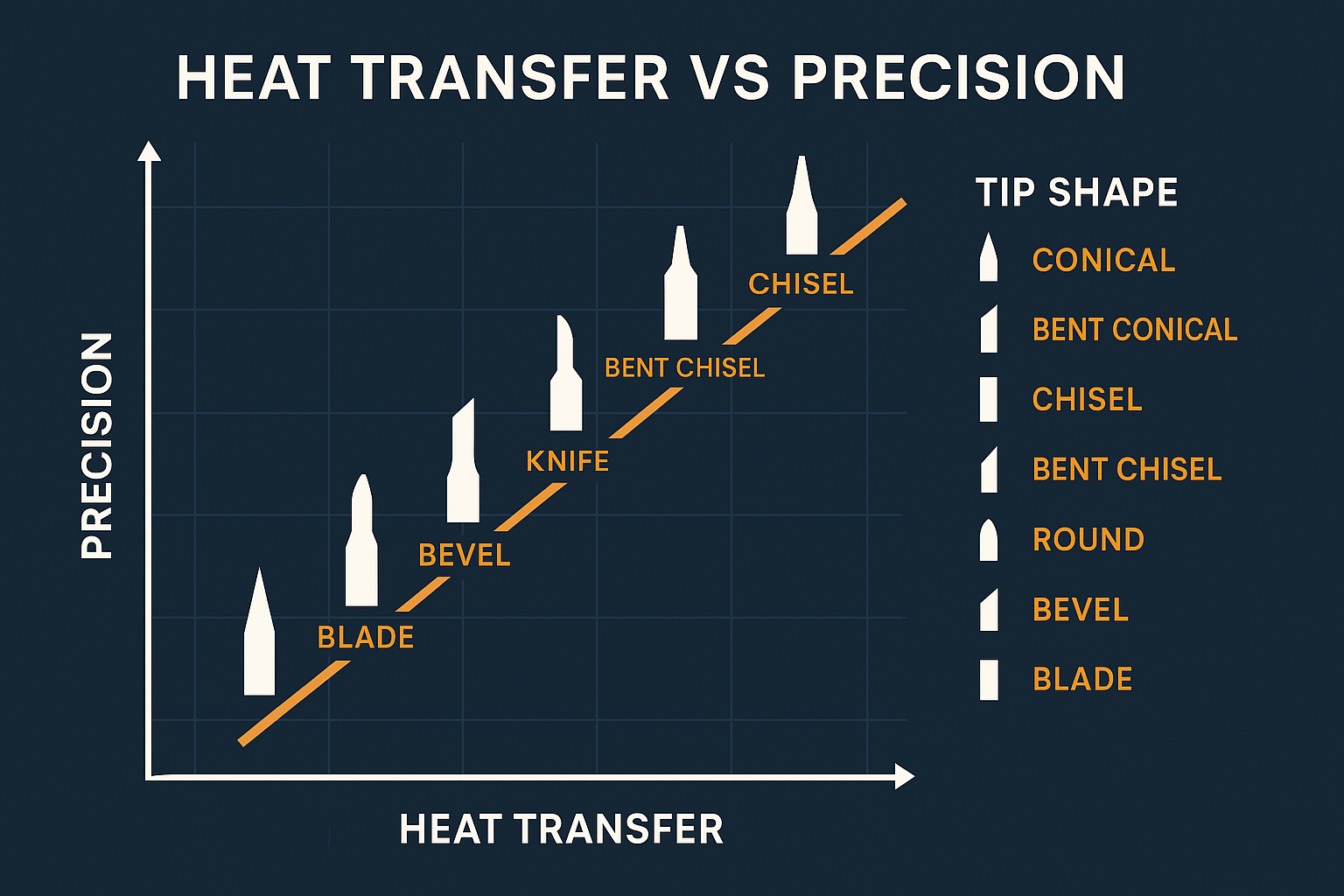
Understanding thermal dynamics helps you choose tips that minimize soldering time while preventing component damage. Larger contact areas transfer heat more efficiently, but they also spread heat to a wider area.
Rule of thumb: Match your tip size to your component size, erring slightly smaller rather than larger to prevent collateral heating of nearby components.
Component Density Considerations
High-density boards require careful tip selection to avoid disturbing adjacent components. In these situations:
- Prioritize precision over speed
- Choose smaller tip sizes even if it means longer heating times
- Consider offset tips for improved access
- Use knife tips for drag soldering in tight spaces
Material Compatibility
Different tip materials and coatings affect compatibility with various solder types and flux formulations. When working with lead-free solders, iron-plated tips often provide better longevity than copper tips.
Tip Maintenance for Optimal Compatibility
Proper tip maintenance ensures consistent performance and extends tip life significantly. Here’s my maintenance routine:
Daily Maintenance
- Clean tips with a damp sponge between joints
- Tin tips before storage to prevent oxidation
- Check for damage or excessive wear
Weekly Maintenance
- Deep clean with tip cleaner or mild abrasive
- Inspect coating for signs of wear or damage
- Rotate tip usage to ensure even wear across your collection
Monthly Maintenance
- Evaluate tip performance and replace worn tips
- Update tip inventory based on project requirements
- Review tip selection for recent projects and optimize choices
Proper maintenance becomes even more important when you’re using ESD-safe practices, as contaminated tips can create static discharge paths.
Building Your Essential Tip Collection
Starting with the right tip collection saves both time and money. Here’s my recommended starter kit:
Beginner Collection (5 tips)
- 0.5mm Conical – General precision work
- 2.4mm Chisel – Through-hole components
- 1.6mm Bevel – SMD work
- Knife tip – Tight spaces and drag soldering
- Hoof tip – Desoldering and rework
Intermediate Collection (8 tips)
Add to the beginner collection:
- 0.2mm Needle – Ultra-fine work
- 3.2mm Chisel – Larger through-hole components
- Wedge tip – SMD packages and confined spaces
Professional Collection (12+ tips)
Include multiple sizes of each essential shape plus specialized tips for specific applications like offset tips for angled access and various hoof tip sizes for different component types.
Cost-Effective Tip Management
Quality tips represent a significant investment, but proper selection and management maximize their value:
Budget Allocation: Invest 60% of your tip budget in the shapes you use most frequently, 30% in specialized tips for specific applications, and 10% in backup tips for critical shapes.
Rotation Strategy: Use multiple tips of the same type in rotation to extend overall life and ensure you always have a clean, sharp tip available.
Quality vs. Quantity: It’s better to have fewer high-quality tips than many cheap ones. Quality tips maintain their shape longer, transfer heat more efficiently, and provide more consistent results.
🛒 Ready to upgrade your soldering setup? Shop XYTRONIC soldering stations for professional-grade equipment that maximizes tip compatibility and performance.
Troubleshooting Common Tip Compatibility Issues
Poor Heat Transfer
Symptoms: Long heating times, cold joints, difficulty melting solder
Solutions:
- Switch to a larger tip with more contact area
- Verify tip cleanliness and proper tinning
- Check temperature settings
Component Damage
Symptoms: Lifted pads, damaged components, discolored PCB
Solutions:
- Use smaller tips to reduce heat spread
- Lower temperature settings
- Reduce contact time
- Improve safety practices
Access Problems
Symptoms: Can’t reach components, tip hits obstacles
Solutions:
- Try offset or angled tips
- Switch to knife tips for tight spaces
- Consider needle tips for precision access
Inconsistent Results
Symptoms: Some joints good, others poor on same board
Solutions:
- Match tip size to component size more carefully
- Maintain consistent technique across different tips
- Ensure proper tip maintenance and cleaning
Future-Proofing Your Tip Selection
As electronics continue to miniaturize and new package types emerge, staying ahead of tip compatibility trends ensures your setup remains relevant:
Emerging Trends
- Smaller component sizes requiring ultra-fine tips
- Higher density boards demanding precision tip selection
- New package types needing specialized tip shapes
- Advanced materials requiring specific tip coatings
Adaptability Strategies
- Invest in modular systems that accept various tip types
- Stay informed about new component packages in your field
- Build relationships with tip manufacturers for early access to new designs
- Document successful tip/task combinations for future reference
Maximizing Efficiency Through Proper Selection
The right tip selection can dramatically improve your soldering efficiency. Here’s how to optimize your workflow:
Project Planning
Before starting any project, analyze the component mix and plan your tip changes strategically. Group similar components together to minimize tip swapping.
Setup Optimization
Arrange your most-used tips within easy reach and consider using stations with quick-change capabilities to reduce changeover time.
Skill Development
Practice with different tip shapes on sample boards to build muscle memory and understand each tip’s characteristics before working on critical projects.
Conclusion
Mastering tip compatibility through understanding these 8 essential shapes will transform your soldering from a struggle into a precision craft. The conical tip’s versatility, the chisel tip’s heat transfer efficiency, the bevel tip’s balanced performance, the knife tip’s access capabilities, the hoof tip’s desoldering prowess, the wedge tip’s precision, the needle tip’s ultra-fine control, and the offset tip’s ergonomic advantages each serve specific purposes in your electronic projects.
Remember that tip compatibility isn’t just about having the right shapes—it’s about understanding when and how to use each one effectively. Start with the beginner collection I’ve outlined, practice with different shapes on sample projects, and gradually build your expertise and tip inventory based on your specific needs.
The investment in proper tip selection pays dividends in improved joint quality, reduced rework, faster project completion, and less component damage. Whether you’re a hobbyist working on weekend projects or a professional handling complex electronic assemblies, these 8 tip shapes will unlock 90% of your soldering tasks with professional-level results.
Next steps: Evaluate your current tip collection, identify gaps based on your typical projects, and begin building your optimized tip inventory. Start experimenting with new shapes on practice boards before using them on critical projects, and don’t forget to maintain your tips properly to ensure consistent performance.
For more insights on optimizing your soldering setup, explore our comprehensive guides on choosing the right tips and maximizing station efficiency.