
Picture this: You’re in the middle of a critical PCB repair, working on a temperature-sensitive component worth hundreds of dollars. Your basic standalone iron suddenly spikes in temperature, and you watch helplessly as the component lifts off the board. This nightmare scenario happens more often than most engineers care to admit, and it’s exactly why understanding the difference between station-based and standalone irons can make or break your next project.
In my years working with electronics, I’ve seen countless projects saved—and ruined—by the choice of soldering equipment. The gap between a basic standalone iron and a proper soldering station isn’t just about price; it’s about precision, protection, and professional results.
Key Takeaways
• Temperature Control: Stations offer precise, stable temperature regulation while standalone irons fluctuate wildly
• ESD Protection: Built-in electrostatic discharge protection in stations prevents component damage from static electricity
• Safety Features: Stations include auto-sleep, thermal monitoring, and tip protection that standalone irons lack
• Long-term Value: Higher upfront cost of stations pays off through better results, component protection, and extended tip life
• Professional Capability: Stations enable work on sensitive components that would be damaged by standalone irons
Understanding the Fundamental Difference
What Makes a Station Different
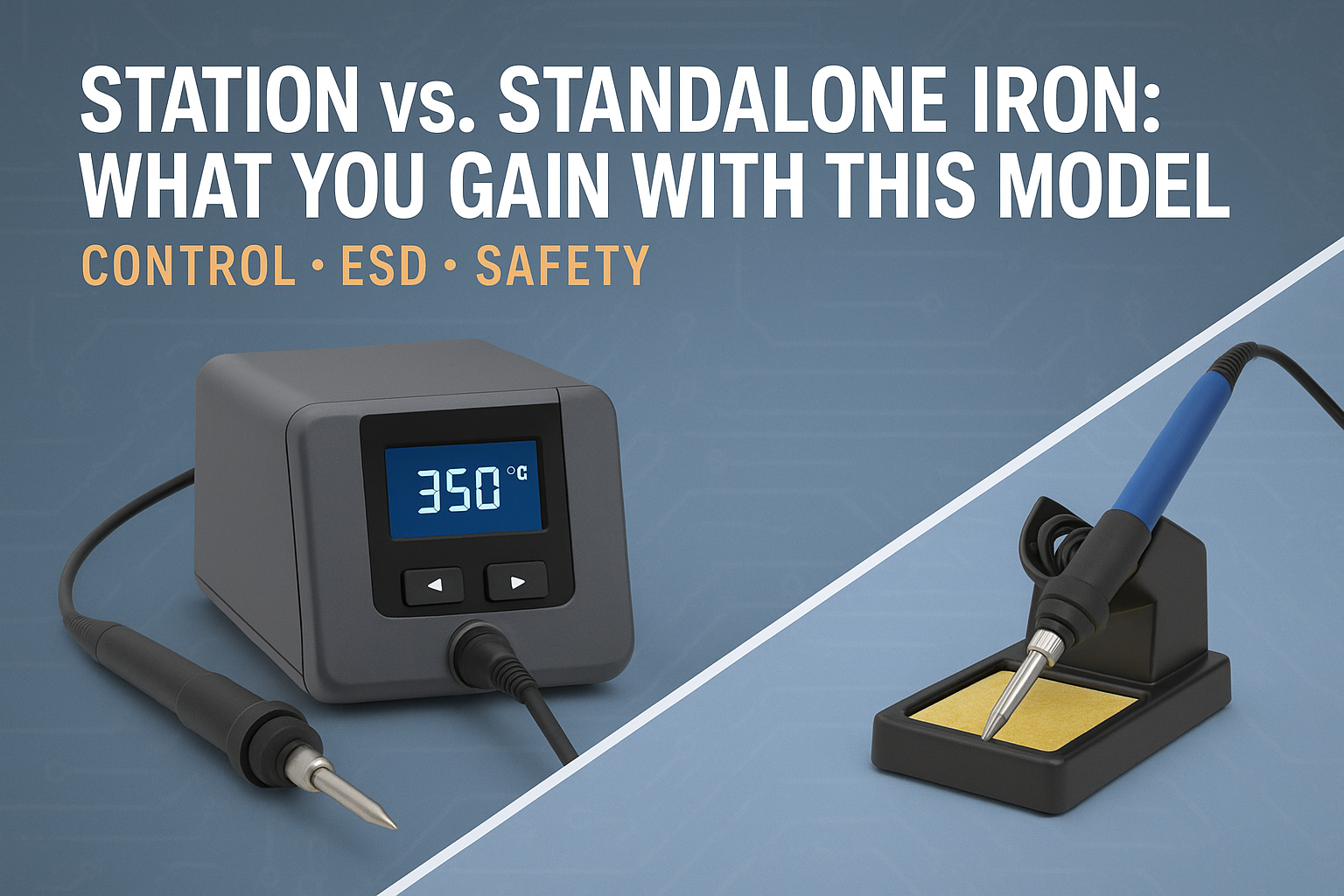
A soldering station is a complete temperature-controlled system consisting of a base unit with power supply, temperature control electronics, and a connected handpiece. Think of it as the difference between a precision laboratory instrument and a basic heating element.
Standalone irons, on the other hand, are self-contained units where the heating element, temperature control (if any), and handle are all in one piece. They’re the equivalent of a basic kitchen appliance—functional for simple tasks but lacking the sophistication for precision work.
The Architecture That Changes Everything
The separation of components in a station design allows for several critical advantages:
- Dedicated power management in the base unit
- Sophisticated temperature sensing and feedback loops
- ESD protection circuits integrated into the system
- Multiple safety monitoring systems
- Expandable capabilities through different handpieces
Temperature Control: The Foundation of Quality Work
Precision vs. Guesswork
When I first upgraded from a basic iron to a temperature-controlled station, the difference was immediately apparent. Temperature control matters because different components and solder types require specific thermal profiles.
Station Advantages:
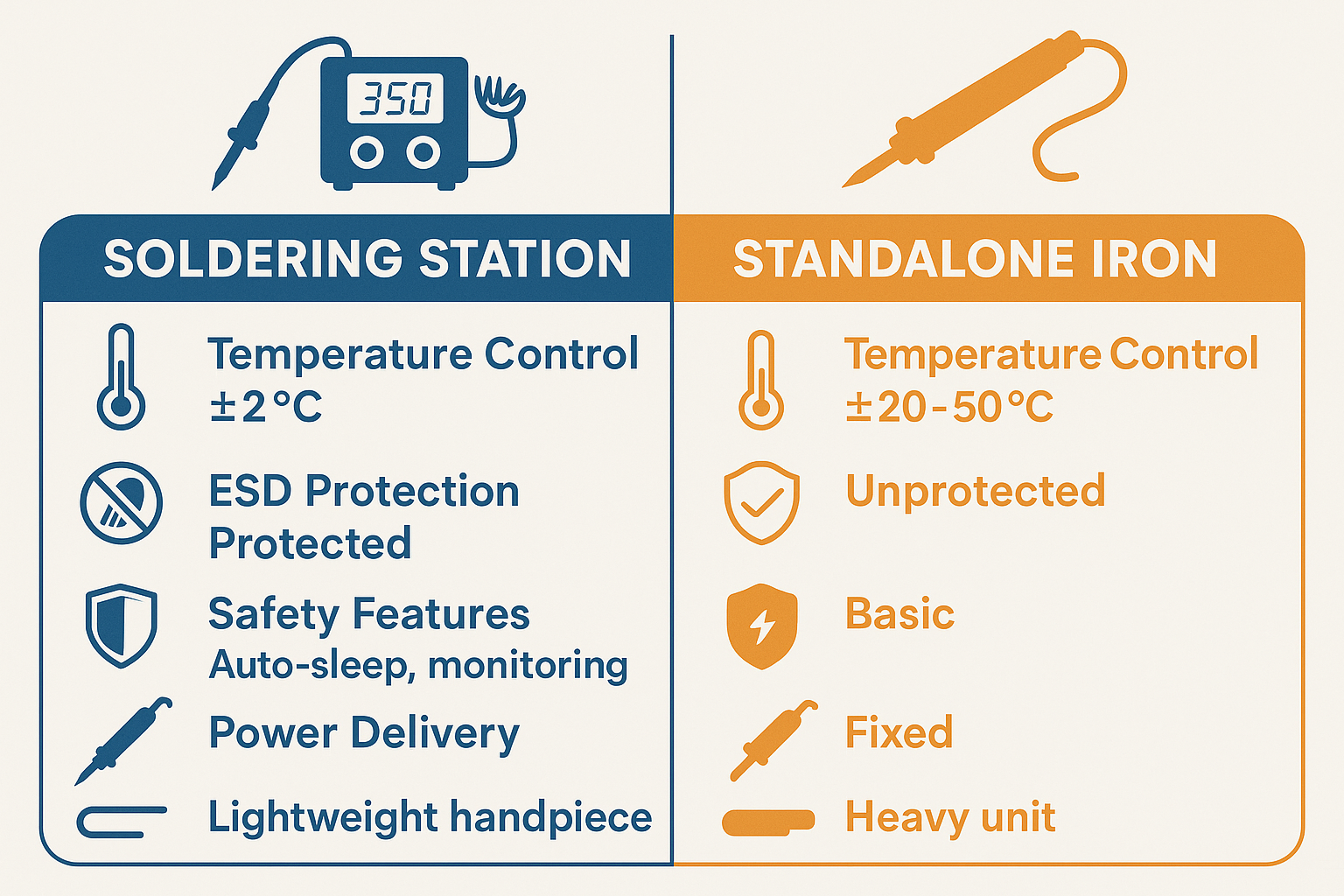
- ±2°C temperature stability
- Rapid thermal recovery when touching components
- Programmable temperature presets
- Real-time temperature monitoring
Standalone Iron Limitations:
- Temperature swings of 20-50°C
- Slow thermal recovery
- No feedback on actual tip temperature
- Manual adjustment without precision
Why This Matters in Practice
Consider working with lead-free solder, which requires temperatures around 350°C. A standalone iron might start at 320°C, spike to 380°C under light load, then drop to 300°C when you touch a large ground plane. This variation can cause:
- Cold joints from insufficient heat
- Component damage from overheating
- Inconsistent results across a single board
- Frustration and rework
A quality station maintains that 350°C ±2°C throughout your work session. For specific guidance on temperature settings, check out our detailed guide on lead-free vs leaded temperature presets.
ESD Protection: Safeguarding Your Components
The Hidden Killer
Electrostatic discharge (ESD) is responsible for more component failures than most engineers realize. A static charge as small as 30 volts can damage sensitive semiconductors, yet humans can’t feel static until it reaches about 3,000 volts.
How Stations Protect Your Work
Modern soldering stations incorporate multiple layers of ESD protection:
- Grounded tip design – Direct path to earth ground
- Isolated heating elements – Prevents ground loops
- ESD-safe materials in handpiece construction
- Monitoring circuits that alert to ESD events
Standalone irons typically offer no ESD protection beyond basic grounding, leaving your components vulnerable to static damage.
Real-World ESD Impact
I’ve seen repair shops lose hundreds of dollars in components due to ESD damage from unprotected equipment. Modern microprocessors, memory chips, and RF components are especially vulnerable. For comprehensive information on working safely with sensitive components, our guide on ESD safety and protection covers everything you need to know.
Safety Features That Matter
Beyond Basic Protection
Safety in soldering extends far beyond just avoiding burns. Modern stations incorporate intelligent safety systems that protect both the user and the equipment:
Auto-Sleep and Shutdown:
- Tip temperature reduction during inactivity
- Complete shutdown after extended idle time
- Tip life extension through thermal cycling reduction
- Energy savings and fire prevention
Thermal Monitoring:
- Continuous temperature sensing
- Overheat protection circuits
- Tip condition monitoring
- Alert systems for maintenance needs
For detailed information on how these features work, see our article on auto-sleep and safety features.
What Standalone Irons Miss
Basic irons typically offer only:
- Simple on/off switching
- Basic thermal fuse protection
- No intelligent monitoring
- No automatic safety features
This means you become the safety system, manually monitoring temperature, remembering to turn off the iron, and hoping nothing goes wrong during extended use.
Control Features That Enhance Your Work
User Interface and Workflow
The control interface on a quality station transforms how you approach soldering tasks. Features include:
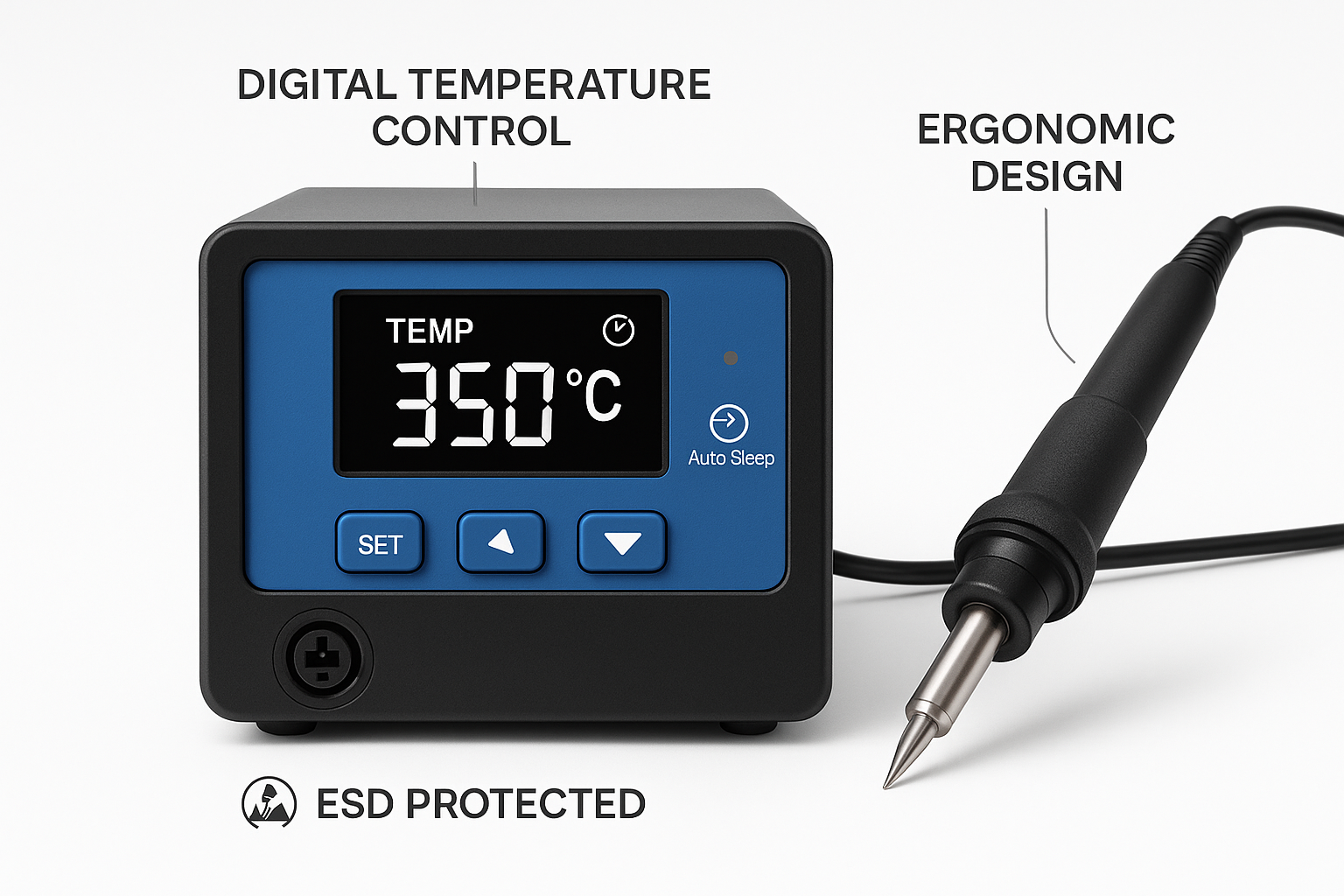
Digital Temperature Display:
- Real-time temperature readout
- Set point vs. actual temperature
- Temperature trend indicators
- Calibration status
Programmable Presets:
- Multiple temperature memories
- Quick switching between solder types
- User-defined profiles
- Project-specific settings
Advanced Controls:
- Temperature ramping
- Boost modes for large thermal masses
- Standby temperatures
- Password protection for settings
Workflow Integration
These controls integrate into professional workflows in ways that basic irons simply cannot. Whether you’re a hobbyist, repair technician, or educator, having precise control over your soldering parameters means:
- Consistent results across multiple sessions
- Reduced rework from temperature-related issues
- Faster setup for different project types
- Documentation of successful temperature profiles
Performance Comparison: Where It Really Shows
Heat Delivery and Recovery
The difference in thermal performance between stations and standalone irons becomes most apparent during demanding tasks:
| Aspect | Soldering Station | Standalone Iron |
|——–|——————-|—————–|
| Thermal Recovery | < 2 seconds | 10-30 seconds |
| Temperature Stability | ±2°C | ±20-50°C |
| Power Range | 20-150W variable | Fixed wattage |
| Thermal Mass Handling | Excellent | Poor to fair |
Real-World Performance Scenarios
Large Ground Planes: When soldering to a large ground plane that acts as a heat sink, a station can boost power delivery automatically to maintain temperature. A standalone iron will simply drop in temperature and struggle to make a good joint.
Sensitive Components: Working with temperature-sensitive ICs requires precise thermal control. Stations can maintain exactly the minimum temperature needed, while standalone irons often require guesswork and risk component damage.
Extended Sessions: During long soldering sessions, thermal stability becomes crucial for consistent results. Stations maintain performance throughout the session, while standalone irons may drift significantly.
For more details on power delivery and thermal performance, check out our analysis of wattage range and heat delivery capabilities.
Ergonomics and User Experience
Comfort During Extended Use
The physical design differences between stations and standalone irons significantly impact user comfort:
Station Handpieces:
- Lighter weight (power supply in base)
- Better cable flexibility
- Ergonomic grip design
- Reduced hand fatigue
Standalone Irons:
- Heavier due to integrated electronics
- Stiffer power cables
- Basic handle design
- Increased fatigue during long sessions
Why Ergonomics Matter
Poor ergonomics don’t just cause discomfort—they affect work quality. Fatigue leads to:
- Reduced precision in placement
- Increased likelihood of mistakes
- Shorter productive work sessions
- Potential for repetitive strain injuries
Our detailed guide on ergonomics and fatigue reduction explores how proper equipment design supports better work outcomes.
Tip Compatibility and Versatility
Expanding Your Capabilities
One often-overlooked advantage of stations is their tip compatibility and selection. Quality stations support multiple tip geometries and sizes, allowing you to:
- Optimize for specific tasks (fine pitch, through-hole, desoldering)
- Match tip thermal mass to component requirements
- Use specialized tips for unique applications
- Maintain multiple tips for different projects
The Economics of Tip Selection
While standalone irons often use proprietary or limited tip selections, stations typically offer:
- Wider variety of tip shapes and sizes
- Better availability and pricing
- Longer tip life due to better temperature control
- Interchangeable tips for different applications
For guidance on selecting the right tips for your work, see our comprehensive guide to tip compatibility and task optimization.
Cost Analysis: Investment vs. Expense
Initial Cost Considerations
Yes, a quality soldering station costs more upfront than a basic standalone iron. However, the cost analysis becomes more favorable when you consider:
Direct Cost Savings:
- Longer tip life (3-5x typical)
- Reduced component damage from ESD/overheating
- Less rework due to better temperature control
- Lower energy consumption with auto-sleep features
Indirect Value:
- Improved work quality and reliability
- Faster completion of complex tasks
- Professional capabilities for advanced projects
- Reduced frustration and improved workflow
Breaking Down the Numbers
Consider a typical scenario:
- Basic Iron: $25 + frequent tip replacement + potential component damage
- Quality Station: $150-300 + extended tip life + component protection + professional results
Over a year of regular use, the station often proves more economical while delivering significantly better results.
🛒 Ready to upgrade your soldering setup? Shop XYTRONIC soldering stations for professional-grade temperature control, ESD protection, and safety features that protect your components and improve your results.
Making the Right Choice for Your Needs
When a Standalone Iron Might Suffice
Standalone irons still have their place in certain scenarios:
- Occasional hobby use with non-critical components
- Basic through-hole work on robust components
- Budget constraints for very light usage
- Portable applications where station size is prohibitive
When a Station Becomes Essential
Stations become necessary for:
- Surface mount work requiring temperature precision
- Professional repair where component damage is costly
- ESD-sensitive components like modern semiconductors
- Extended work sessions requiring consistent performance
- Multiple users who need different temperature profiles
Choosing the Right Station
When selecting a station, consider:
- Temperature range appropriate for your solder types
- Power delivery sufficient for your largest thermal masses
- ESD protection adequate for your most sensitive components
- Safety features matching your work environment
- Ergonomics suitable for your typical session length
Advanced Features Worth Considering
Digital Integration
Modern stations increasingly offer:
- USB connectivity for firmware updates
- Data logging of temperature profiles
- Computer control for automated processes
- Network integration for facility management
Modular Capabilities
High-end stations may support:
- Multiple handpieces for different applications
- Hot air rework attachments
- Vacuum pickup tools
- Fume extraction integration
Future-Proofing Your Investment
Consider stations that offer:
- Firmware updateability for new features
- Expandable accessories as needs grow
- Service support for long-term reliability
- Calibration capabilities for precision maintenance
Conclusion
The choice between a soldering station and standalone iron isn’t just about features—it’s about enabling better work. Stations provide the precision, protection, and professional capabilities that modern electronics work demands.
Key advantages of stations include:
- Precise temperature control for consistent, quality joints
- ESD protection that safeguards expensive components
- Safety features that protect both user and equipment
- Ergonomic design that reduces fatigue during extended use
- Professional capabilities that enable advanced techniques
While the initial investment is higher, the combination of better results, component protection, and enhanced capabilities makes a quality station essential for serious electronics work.
Next Steps:
- Assess your current projects and identify temperature-critical applications
- Calculate the cost of potential component damage from poor temperature control
- Consider your work volume and the value of consistent, professional results
- Research station options that match your specific needs and budget
- Invest in proper training to maximize your station’s capabilities
For more insights on soldering techniques, safety practices, and equipment selection, explore our comprehensive soldering station blog with detailed guides for every skill level.
The difference between adequate and excellent soldering often comes down to having the right tools. A quality soldering station isn’t just an upgrade—it’s an investment in the quality and reliability of everything you build.