
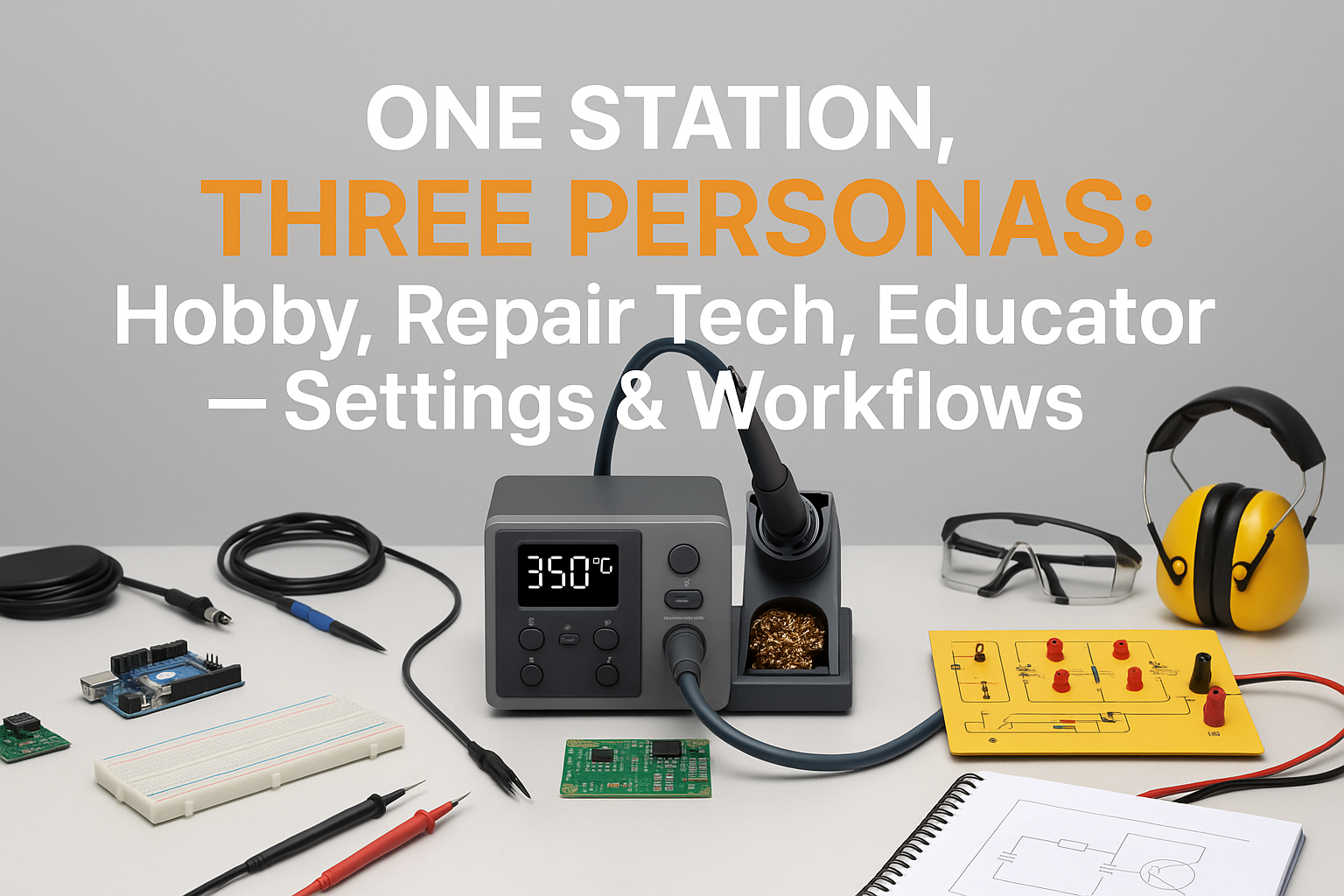
Picture this: You’re switching between prototyping a delicate sensor circuit, repairing a customer’s vintage amplifier, and demonstrating proper soldering techniques to a classroom full of eager students. Each task demands different approaches, temperatures, and workflows—yet you’re using the same soldering station for all three. Sound familiar? 🔧
In the world of electronics, versatility isn’t just convenient—it’s essential. Whether you’re a weekend hobbyist tinkering with Arduino projects, a professional repair technician fixing complex PCBs, or an educator shaping the next generation of engineers, your soldering station needs to adapt as quickly as you do. The challenge lies not just in having the right equipment, but in optimizing your settings and workflows for each distinct persona.
Key Takeaways
• Customized temperature profiles for each persona maximize efficiency and prevent component damage across different project types
• Workflow optimization reduces setup time and improves consistency when switching between hobby projects, professional repairs, and educational demonstrations
• Safety protocols must be adapted for each environment, with stricter ESD measures for repair work and enhanced visibility for educational settings
• Tool organization and station configuration directly impact productivity and learning outcomes across all three personas
• Documentation practices vary significantly between personal projects, customer repairs, and student instruction requirements
Understanding the Three Personas
The Hobbyist: Creative Freedom Meets Precision
As a hobbyist, your soldering station serves as the gateway to countless creative projects. From building custom mechanical keyboards to assembling IoT devices, you need flexibility without complexity. The hobbyist persona prioritizes ease of use, quick setup, and the ability to handle diverse component types without overthinking the process.
Your typical projects might include:
- Arduino and Raspberry Pi projects with mixed component sizes
- Through-hole prototyping on breadboards and perfboards
- LED strip modifications and custom lighting projects
- Audio equipment repairs and modifications
- Vintage electronics restoration as weekend projects
The Repair Technician: Efficiency Under Pressure
Professional repair work demands a completely different mindset. Every minute counts when you’re diagnosing failed components, replacing surface-mount devices, or restoring critical equipment for clients. The repair tech persona requires consistent results, rapid temperature changes, and workflows optimized for billable hours.
Your daily challenges include:
- SMD component replacement on modern PCBs
- Multi-layer board repairs requiring precise heat control
- Component-sensitive work on expensive equipment
- Time-critical repairs with customer deadlines
- Documentation requirements for warranty and quality assurance
The Educator: Demonstration and Safety First
Teaching soldering techniques brings unique requirements that neither hobbyist nor repair work typically demands. You need visual clarity for demonstrations, enhanced safety protocols for student environments, and the ability to clearly explain the “why” behind every setting and technique.
Your educational responsibilities encompass:
- Live demonstrations to groups of varying skill levels
- Safety protocol enforcement in shared workshop spaces
- Progressive skill building from basic through-hole to advanced SMD work
- Equipment maintenance across multiple stations and user skill levels
- Assessment and feedback on student technique and results
Optimizing Settings for Each Persona
Hobbyist Settings: Flexibility and Forgiveness
When working on personal projects, your temperature control settings should prioritize versatility over speed. I recommend starting with these baseline configurations:
Temperature Profiles:
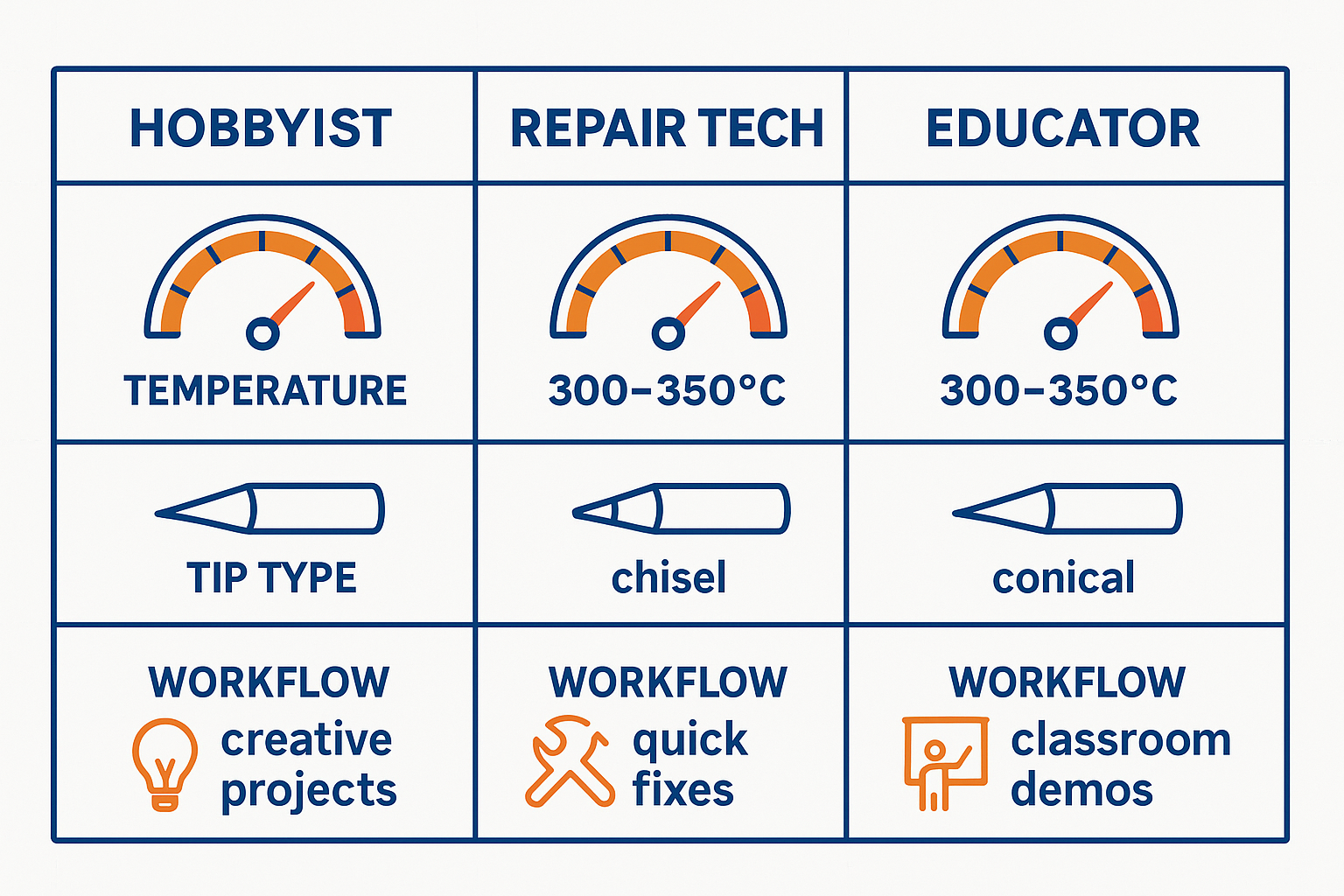
- General purpose: 320°C (608°F) for mixed component work
- Delicate components: 280°C (536°F) for sensitive ICs and sensors
- Heavy joints: 380°C (716°F) for ground planes and large connectors
- Lead-free work: 350°C (662°F) for modern RoHS-compliant projects
Workflow Optimizations:
- Set a moderate heat-up time that allows for project planning
- Use medium tip sizes (chisel tips 2-3mm) for versatility
- Keep flux application generous to compensate for timing variations
- Maintain relaxed pace to enjoy the process and learn from mistakes
The beauty of hobbyist work lies in experimentation. Don’t be afraid to adjust temperatures based on your observations. If solder isn’t flowing smoothly, increase temperature gradually. If components seem stressed, back down the heat and improve your flux application.
Repair Tech Settings: Speed and Precision
Professional repair work demands optimized settings that maximize efficiency while maintaining quality standards. Your station configuration should support rapid transitions between different repair scenarios.
Temperature Profiles:
- SMD removal: 400°C (752°F) with hot air assist when available
- Fine-pitch work: 320°C (608°F) with precise tip control
- Through-hole repair: 350°C (662°F) for quick, clean joints
- Desoldering operations: 380°C (716°F) for efficient component removal
Workflow Optimizations:
- Invest in rapid heat-up and recovery capabilities
- Use multiple tip sizes readily available for quick swaps
- Implement strict ESD protocols as covered in our ESD safety guide
- Document time spent on each repair phase for accurate billing
“In professional repair work, consistency trumps perfection. A reliable 7/10 joint completed in 30 seconds often serves the customer better than a perfect 10/10 joint that takes 3 minutes.”
Educator Settings: Visibility and Safety
Teaching environments require settings that balance learning objectives with safety requirements. Your configuration should make the soldering process clearly visible while maintaining safe operating conditions for inexperienced users.
Temperature Profiles:
- Demonstration work: 300°C (572°F) for clear, controlled joints
- Student practice: 280°C (536°F) to reduce burn risk while learning
- Advanced techniques: 320°C (608°F) for upper-level coursework
- Safety demonstrations: Variable settings to show temperature effects
Workflow Optimizations:
- Use larger tip sizes for better visibility during demonstrations
- Implement extended safety protocols including mandatory safety equipment
- Maintain multiple backup stations to minimize classroom disruption
- Create standardized project kits with pre-selected components
Consider ergonomic factors when setting up educational workstations, as students will spend extended periods learning proper technique.
Workflow Strategies for Maximum Efficiency
Project Preparation Workflows
Hobbyist Preparation:
- Review schematics and identify component types
- Organize components by soldering requirements
- Select appropriate tips based on joint sizes
- Prepare workspace with adequate lighting and ventilation
- Set initial temperature based on most common components
Repair Tech Preparation:
- Diagnose failure mode before heating the iron
- Identify replacement components and order if necessary
- Document initial state with photos for warranty purposes
- Select specialized tools for specific repair requirements
- Estimate time requirements for accurate customer communication
Educator Preparation:
- Prepare demonstration materials with clear visual examples
- Test all equipment before class begins
- Organize safety equipment and ensure student access
- Prepare backup components for inevitable mistakes
- Review learning objectives and assessment criteria
Station Configuration Workflows
The physical setup of your soldering station significantly impacts efficiency across all three personas. Here’s how I optimize station configuration for each role:
Universal Setup Principles:
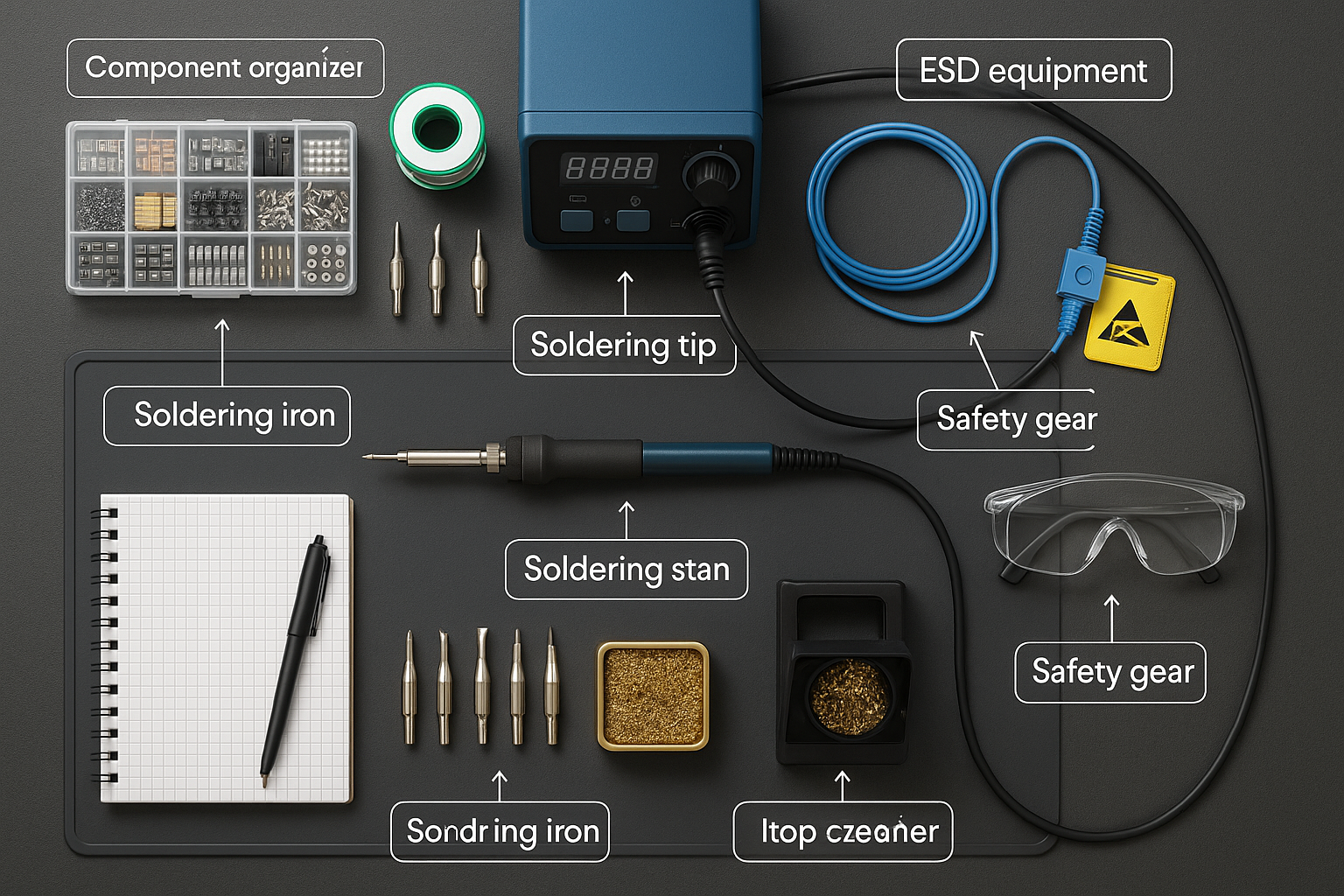
- Dominant hand positioning: Iron holder on your dominant side
- Component access: Parts and tools within easy reach
- Ventilation placement: Fume extraction positioned for optimal airflow
- Lighting optimization: Multiple light sources to eliminate shadows
- ESD protection: Wrist straps and mats properly grounded
Persona-Specific Modifications:
| Aspect | Hobbyist | Repair Tech | Educator |
|——–|———-|————-|———-|
| Workspace Size | Compact, personal | Efficient, organized | Expanded for visibility |
| Tool Access | Casual organization | Systematic tool placement | Demonstration-ready layout |
| Documentation | Project notebooks | Repair tracking sheets | Student assessment forms |
| Safety Equipment | Basic protection | Professional-grade ESD | Enhanced visibility gear |
| Component Storage | Project-based bins | Inventory management | Educational kit organization |
Temperature Transition Workflows
Switching between different temperature requirements efficiently requires systematic approaches:
Quick Temperature Changes:
- Pre-plan temperature sequences to minimize wait times
- Use thermal mass strategically – larger tips hold heat longer
- Clean tips during temperature changes to maintain heat transfer
- Monitor actual tip temperature rather than relying solely on display readings
Component-Specific Transitions:
- Group similar components to minimize temperature adjustments
- Start with low-temperature work and progress to higher temperatures
- Allow proper cool-down time when moving to sensitive components
- Test on practice material when making significant temperature changes
Advanced Workflow Techniques
Multi-Project Management
When juggling multiple projects or repair jobs, organization becomes critical:
Project Isolation:
- Dedicated work areas for each active project
- Component containers labeled with project names and requirements
- Temperature logs tracking optimal settings for specific project types
- Progress documentation enabling quick context switching
Cross-Project Efficiency:
- Batch similar operations across multiple projects
- Share common components while maintaining project integrity
- Optimize tool changes to minimize setup disruption
- Maintain consistent quality standards across all work types
Quality Control Integration
Each persona requires different quality control approaches:
Hobbyist Quality Control:
- Visual inspection with good lighting and magnification
- Functional testing appropriate to project requirements
- Learning documentation noting what works and what doesn’t
- Iterative improvement based on project outcomes
Professional Quality Control:
- Standardized inspection procedures for consistent results
- Electrical testing to verify repair effectiveness
- Customer sign-off procedures for warranty protection
- Continuous improvement tracking for efficiency gains
Educational Quality Control:
- Student self-assessment tools for skill development
- Peer review processes for collaborative learning
- Instructor evaluation with constructive feedback
- Progress tracking across multiple skill levels
Safety Considerations Across Personas
Safety requirements vary significantly across the three personas, but certain principles remain universal. Understanding these differences helps you adapt your approach while maintaining appropriate protection levels.
Universal Safety Principles
Regardless of your current persona, these safety fundamentals apply:
- Proper ventilation to remove flux fumes and metal particles
- Eye protection when working with small components or flux splatter
- Burn prevention through proper iron handling and storage
- ESD protection for sensitive electronic components
- Fire safety with appropriate extinguisher types nearby
Persona-Specific Safety Adaptations
Hobbyist Safety Focus:
- Personal comfort during extended weekend sessions
- Home workshop safety including family member protection
- Chemical storage appropriate for residential environments
- Emergency procedures adapted for home workshop settings
Professional Safety Requirements:
- Workplace compliance with OSHA and industry standards
- Customer equipment protection through enhanced ESD protocols
- Professional liability considerations for repair work
- Time pressure management to avoid safety shortcuts
Educational Safety Imperatives:
- Student supervision requirements for inexperienced users
- Enhanced visibility of safety procedures and equipment
- Emergency response procedures for classroom environments
- Age-appropriate safety equipment and protocols
🔧 Pro Tip: When teaching soldering safety, demonstrate both correct and incorrect techniques (safely) to help students understand the consequences of poor practices.
Tool Selection and Maintenance
Tip Selection Strategy
Choosing the right soldering tips for each persona maximizes efficiency and results:
Hobbyist Tip Recommendations:
- Chisel tips (2-3mm): Versatile for most through-hole work
- Conical tips (1mm): Precision work on small components
- Knife tips: Drag soldering and SMD work
- Specialty tips: Based on specific project requirements
Repair Tech Tip Arsenal:
- Fine conical (0.5mm): Micro-component work
- Chisel variety (1-4mm): Different joint sizes
- Knife tips: Efficient SMD removal and installation
- Desoldering tips: Specialized for component removal
Educational Tip Selection:
- Larger chisel tips (3-4mm): Better visibility during demonstrations
- Durable tip materials: Withstand student learning mistakes
- Safety-oriented designs: Reduced sharp edges and burn risk
- Cost-effective options: Balance quality with budget constraints
Maintenance Workflows
Proper maintenance extends equipment life and maintains consistent performance:
Daily Maintenance Routine:
- Clean tips with damp sponge or brass wool
- Tin tips before storage to prevent oxidation
- Check temperature accuracy with test joints
- Inspect cables for damage or wear
- Clean work surface and organize tools
Weekly Deep Maintenance:
- Calibrate temperature settings with external thermometer
- Deep clean tip cleaning tools and replace consumables
- Inspect ESD equipment for proper grounding
- Review and update temperature profiles based on recent work
- Inventory consumables and reorder as needed
Technology Integration and Modern Workflows
Digital Documentation
Modern soldering workflows benefit significantly from digital integration:
Project Documentation Tools:
- Digital cameras for before/after repair photos
- Temperature logging apps for consistency tracking
- Project management software for complex builds
- Video recording for technique analysis and improvement
Quality Tracking Systems:
- Defect rate monitoring for professional repair work
- Student progress tracking in educational environments
- Personal skill development logs for hobbyist improvement
- Equipment performance monitoring for maintenance scheduling
Automation Integration
While soldering remains largely manual, some automation can enhance workflows:
Semi-Automated Solutions:
- Programmable temperature profiles for repeatable processes
- Automatic tip cleaning systems for consistent performance
- Fume extraction automation tied to iron usage
- Component pre-heating for improved joint quality
Troubleshooting Common Workflow Issues
Temperature-Related Problems
Issue: Inconsistent Joint Quality
- Cause: Temperature fluctuations during use
- Solution: Verify rapid heat recovery capability and adjust working pace
- Prevention: Monitor actual tip temperature vs. display readings
Issue: Component Damage During Soldering
- Cause: Excessive temperature or dwell time
- Solution: Lower temperature and improve flux application
- Prevention: Use temperature-sensitive component guidelines
Workflow Efficiency Problems
Issue: Frequent Tool Changes Disrupting Flow
- Cause: Poor planning and organization
- Solution: Batch similar operations and pre-position tools
- Prevention: Develop persona-specific setup checklists
Issue: Quality Inconsistency Across Projects
- Cause: Lack of standardized procedures
- Solution: Document successful settings and techniques
- Prevention: Create persona-specific workflow templates
Economic Considerations
Cost-Benefit Analysis by Persona
Understanding the economic impact of optimized workflows helps justify equipment investments:
Hobbyist Economics:
- Time value: Personal satisfaction vs. time investment
- Equipment amortization: Cost per project over equipment lifetime
- Skill development: Long-term capability building value
- Project success rate: Reduced component waste through better technique
Professional Economics:
- Billable hour optimization: Faster repairs increase profitability
- Rework reduction: Better initial quality reduces warranty costs
- Customer satisfaction: Consistent quality builds repeat business
- Equipment ROI: Professional-grade tools pay for themselves through efficiency
Educational Economics:
- Student outcomes: Better equipment improves learning success
- Equipment longevity: Proper setup reduces maintenance costs
- Safety cost avoidance: Preventing accidents protects budget and reputation
- Curriculum effectiveness: Optimized workflows enable better instruction
Investment Priorities
Essential Investments (All Personas):
- Quality soldering station with accurate temperature control
- Proper ventilation for health and safety
- ESD protection appropriate to component sensitivity
- Basic hand tools for efficient component handling
Persona-Specific Investments:
| Priority Level | Hobbyist | Repair Tech | Educator |
|—————-|———-|————-|———-|
| High | Variable temperature control | Rapid heat recovery | Multiple identical stations |
| Medium | Component storage | Specialized tips | Demonstration camera |
| Low | Advanced features | Automation tools | Advanced measurement tools |
Future-Proofing Your Workflows
Technology Trends
Staying current with soldering technology trends helps maintain workflow efficiency:
Emerging Technologies:
- Smart temperature control with component recognition
- Integrated documentation systems with automatic logging
- Advanced tip materials for longer life and better performance
- Wireless monitoring for remote station management
Workflow Evolution:
- Cloud-based documentation for project and repair tracking
- AI-assisted diagnostics for complex repair scenarios
- Virtual reality training for advanced technique development
- Automated quality inspection using machine vision
Skill Development Pathways
Hobbyist Advancement:
- Component miniaturization skills for modern electronics
- Mixed-technology proficiency combining through-hole and SMD
- Specialized applications like flex PCB and high-frequency work
- Teaching capabilities to share knowledge with others
Professional Specialization:
- Advanced diagnostic techniques for complex failures
- Specialized equipment proficiency for niche markets
- Quality certification for aerospace or medical applications
- Business development skills for service expansion
Educational Excellence:
- Curriculum development for emerging technologies
- Assessment innovation for practical skill evaluation
- Industry partnerships for real-world application
- Research integration connecting theory with practice
Building Your Optimal Setup
Ready to optimize your soldering station for multiple personas? Start by assessing your current setup against the guidelines in this article. Whether you’re looking to upgrade your current station or want to shop XYTRONIC soldering station options that support all three personas, the key is understanding how your specific needs align with available technology.
Consider starting with one persona’s requirements and gradually expanding your capabilities. A well-chosen soldering station can serve all three roles effectively with proper configuration and workflow optimization.
Conclusion
Mastering the art of One Station, Three Personas: Hobby, Repair Tech, Educator — settings & workflows requires more than just understanding temperature settings and tool selection. It demands a systematic approach to workflow optimization that recognizes the unique requirements of each role while maximizing the efficiency of transitions between them.
The key insights from this comprehensive guide include the critical importance of persona-specific temperature profiles, the value of optimized workspace organization, and the necessity of adapted safety protocols for each environment. Whether you’re soldering Arduino shields on a weekend, repairing critical equipment under deadline pressure, or demonstrating proper technique to eager students, your success depends on having the right systems in place.
Your next steps should include:
- Assess your current setup against the persona-specific requirements outlined in this guide
- Implement temperature profiles that match your most common use cases
- Organize your workspace to support quick transitions between different types of work
- Document your successful settings to build a personal knowledge base
- Invest in quality equipment that supports all three personas effectively
Remember, the goal isn’t to become three different people—it’s to develop the flexibility and systematic approach that allows you to excel in whichever role your current project demands. With proper planning, the right equipment, and optimized workflows, your soldering station becomes a versatile tool that adapts to your needs rather than limiting your capabilities.
For more insights on soldering techniques and equipment optimization, explore our comprehensive soldering station blog where we dive deep into the technical aspects that make the difference between good and exceptional soldering results.